One simple workflow from lead to paid job.
FastQuote is built the way fence crews actually work: measure and price the job, get it signed, take the deposit, run the schedule, know your margin, collect payment, and ask for the review. Every screen below is the real app.
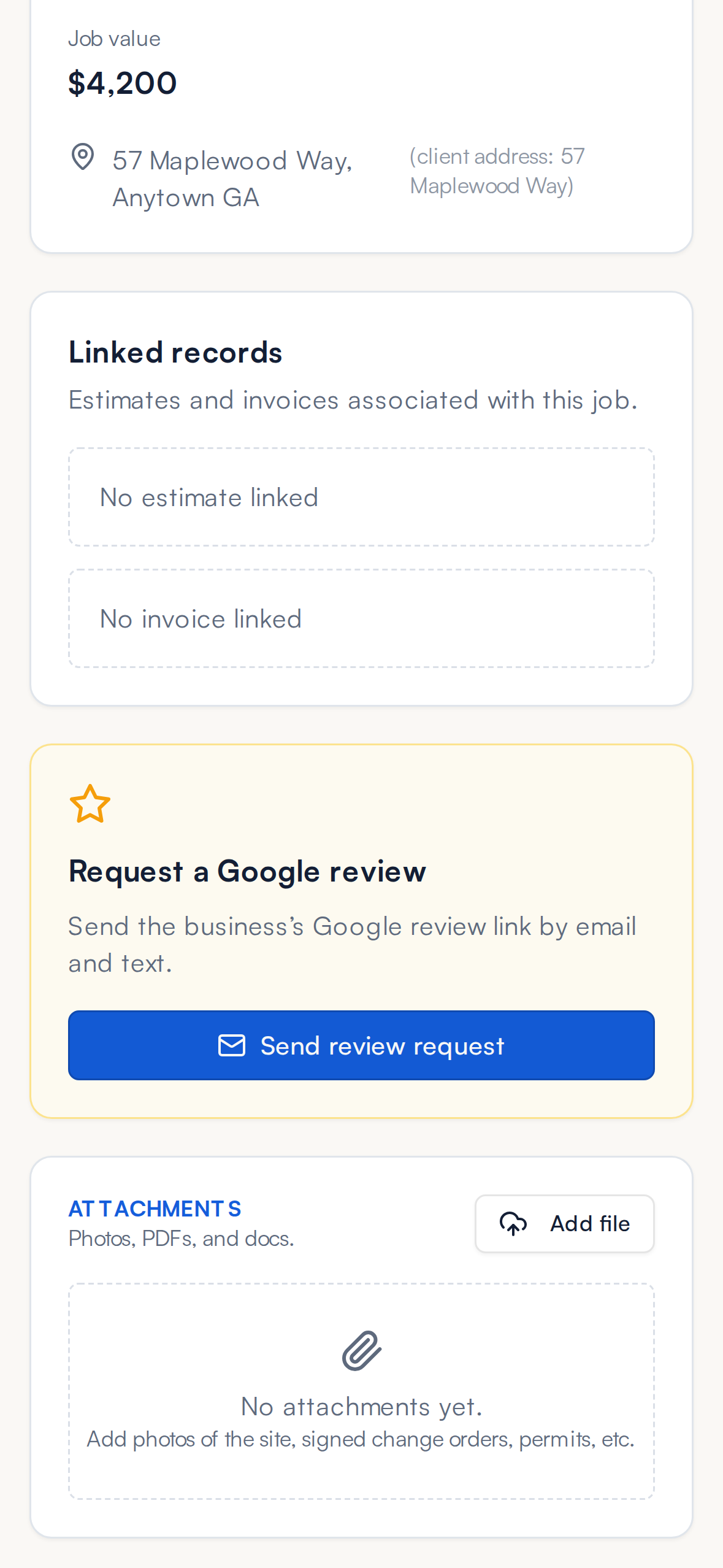
Sketch the fence and the price builds itself.
Draw the runs, drop in the gates, and FastQuote prices the whole job from your price book. Every style on the estimate uses the same sketch, so good, better, best takes seconds, not a second trip.
- Draw runs and gates on a phone, tablet or computer
- Per-foot and per-gate pricing from your price book
- Your markup and commission built in
- Up to four styles priced from one sketch
- Manual line items for jobs that need them
Build tiered proposals your customers actually understand.
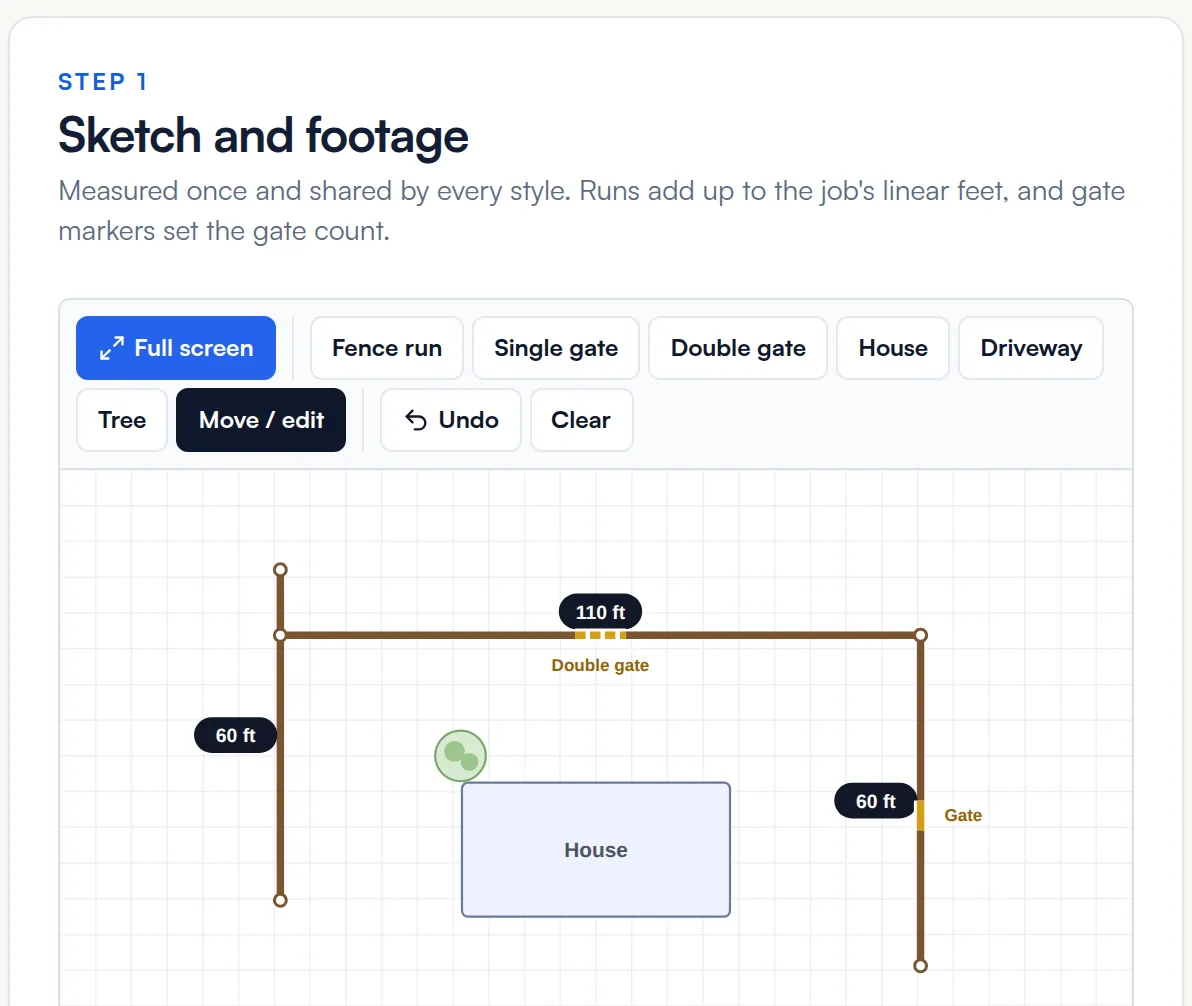
Base scope up top. Optional upgrades below with photos and pricing. Homeowners see exactly what they're getting, what each add-on costs, and check the boxes for what they want. No confusion, no phone calls to clarify.
- Up to four styles side by side (good, better, best)
- Add-on upgrades with photos and prices
- Customer picks options on their phone
- Total updates in real time as they choose
- Deposit percentage set per proposal
Get the job approved on the customer's phone.
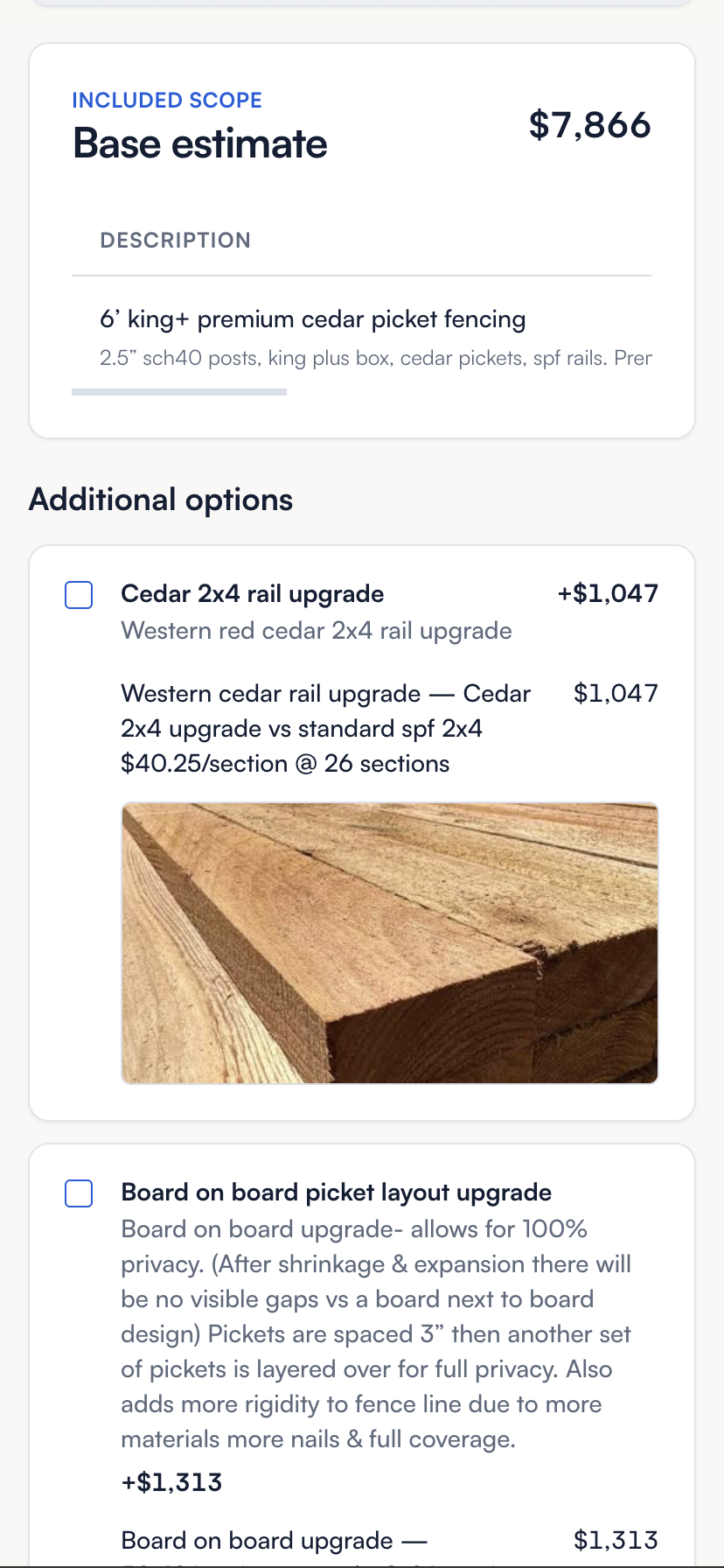
Once the homeowner picks their options, they sign right there. Full legal name, email, phone, signature - all captured in one flow. The signed contract, deposit amount, and consent record land in their file automatically.
- Draw or type signature on any phone
- Consent and disclosures captured with the sign
- Deposit due amount shown before signing
- Signed PDF emailed to customer instantly
- Signed contract attached to the job forever
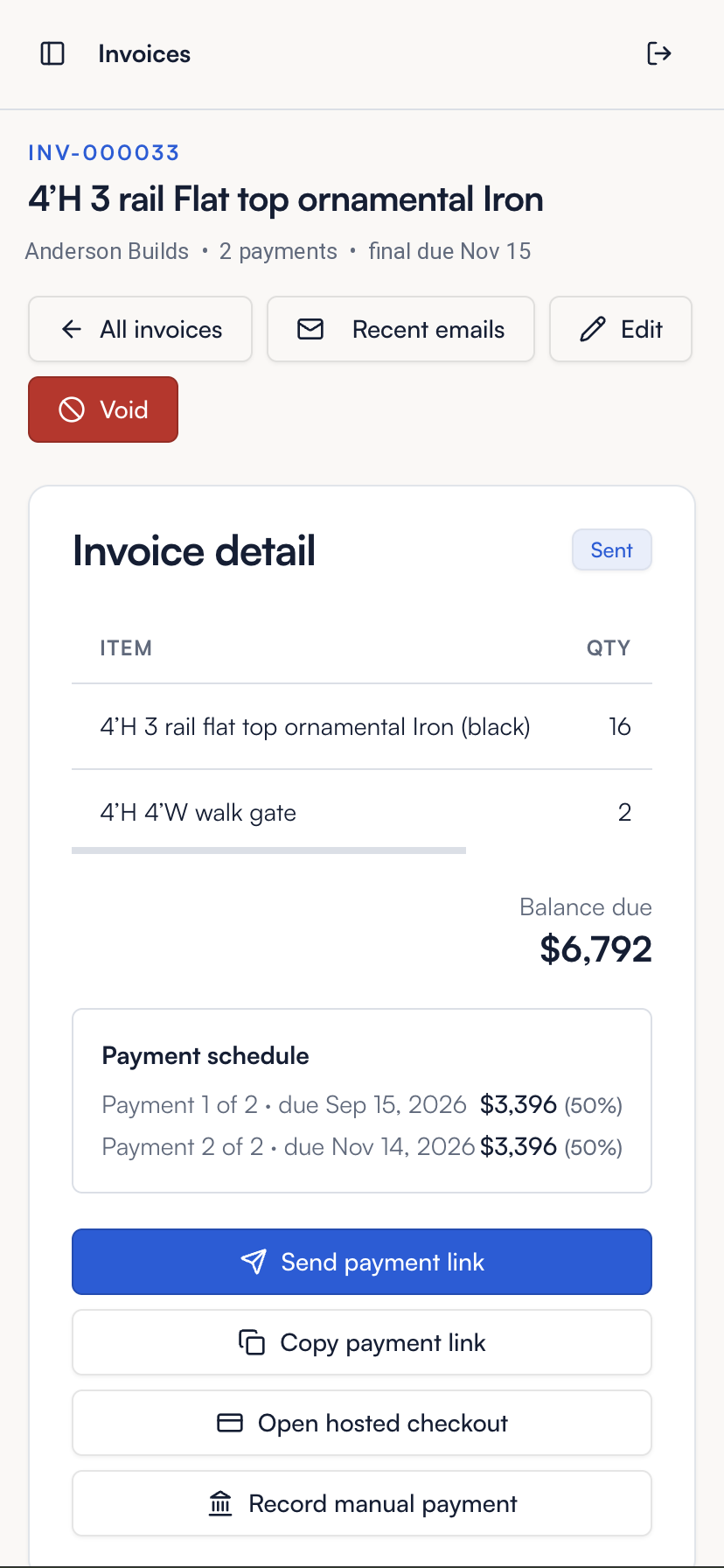
Collect the deposit before you roll the truck.
Deposit at signing. Progress invoices when you need them. Final balance the day the job wraps. Every invoice comes with a payment link the customer can pay by card or ACH in under a minute.
- Deposit collected at signing, no chasing
- Payment schedules your way, like 50/50 or 30/70
- Hosted checkout page, no login for customer
- Card, ACH, and manual payment methods
- Automatic receipts and payment status
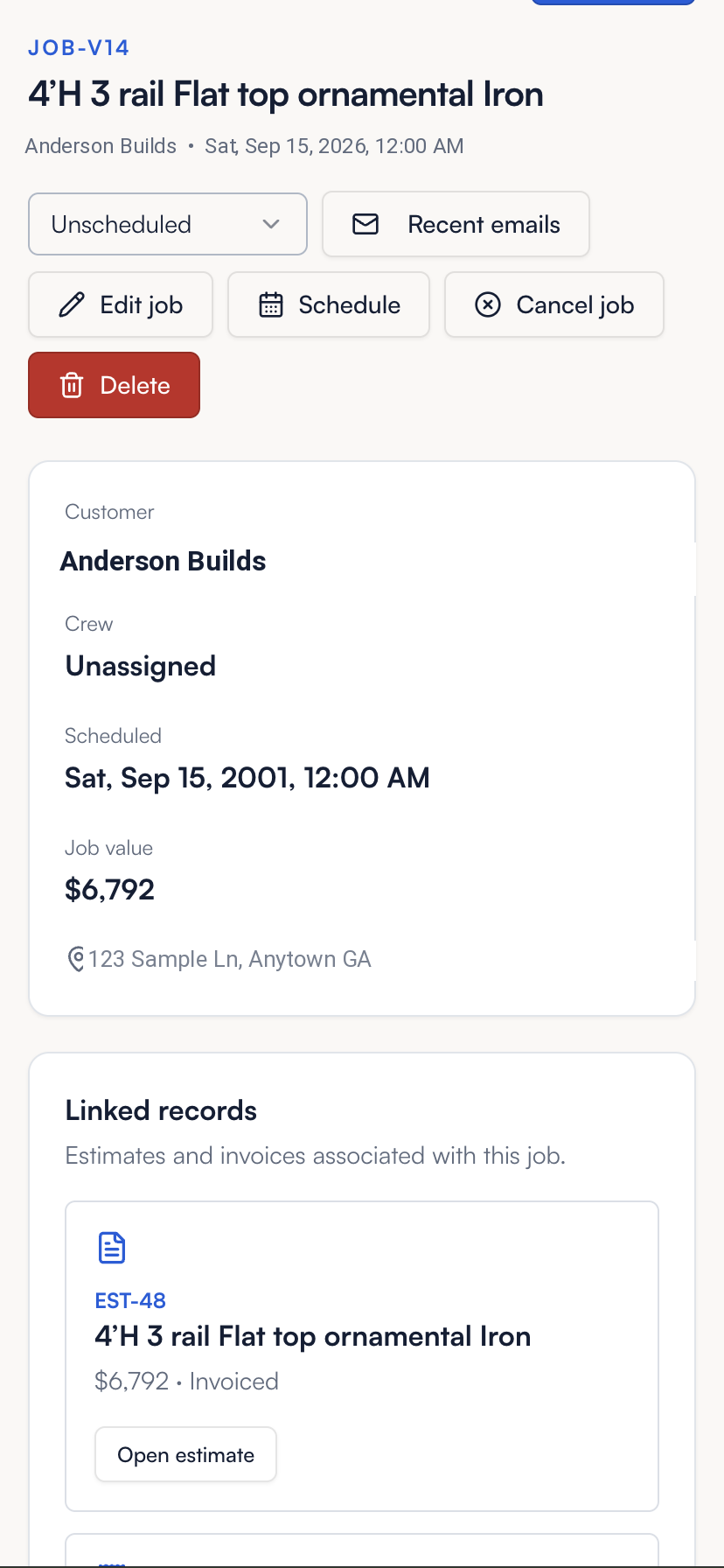
Every signed proposal becomes a job you can actually manage.
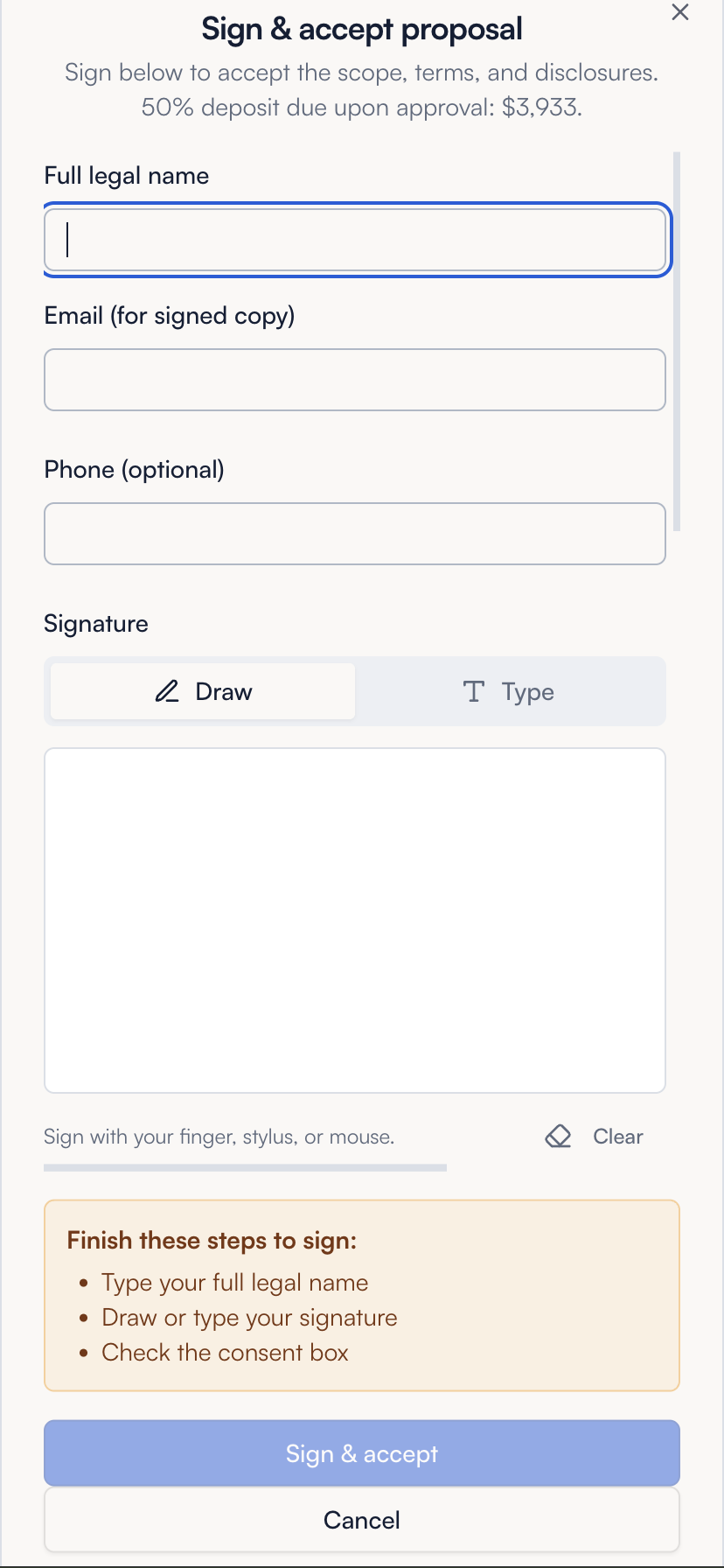
The moment the proposal is signed, a job card appears. Add jobs by hand for work that never needed a quote. Schedule it, assign a crew, see the job value, view the linked estimate and invoice. Nothing falls between the cracks between sales and install.
- Auto-created at signing, or added by hand
- Book open times on the crew calendar
- Linked estimate, invoice, and customer file
- Job value visible at a glance
- Reschedule or cancel in-line
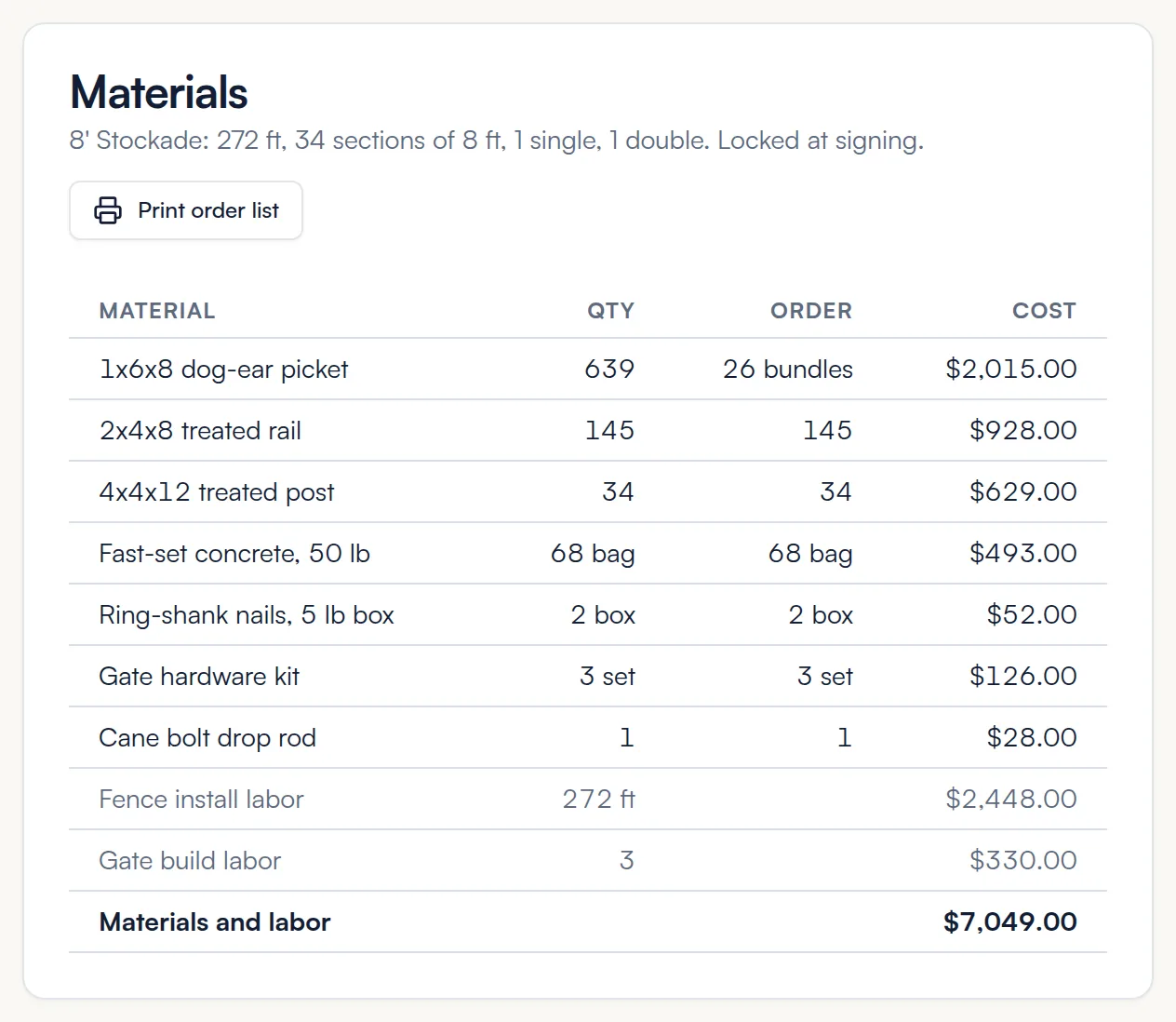
Know what every job takes and what it makes.
Price a style from the materials and labor you actually buy. FastQuote counts posts, pickets, rails and concrete from the sketch, builds the supplier order list, and shows your margin before the crew rolls.
- Price styles from your own materials and labor
- Quantities counted from the sketch
- Supplier order list ready to print or send
- Job cost and gross profit for each job
- Customers never see your costs
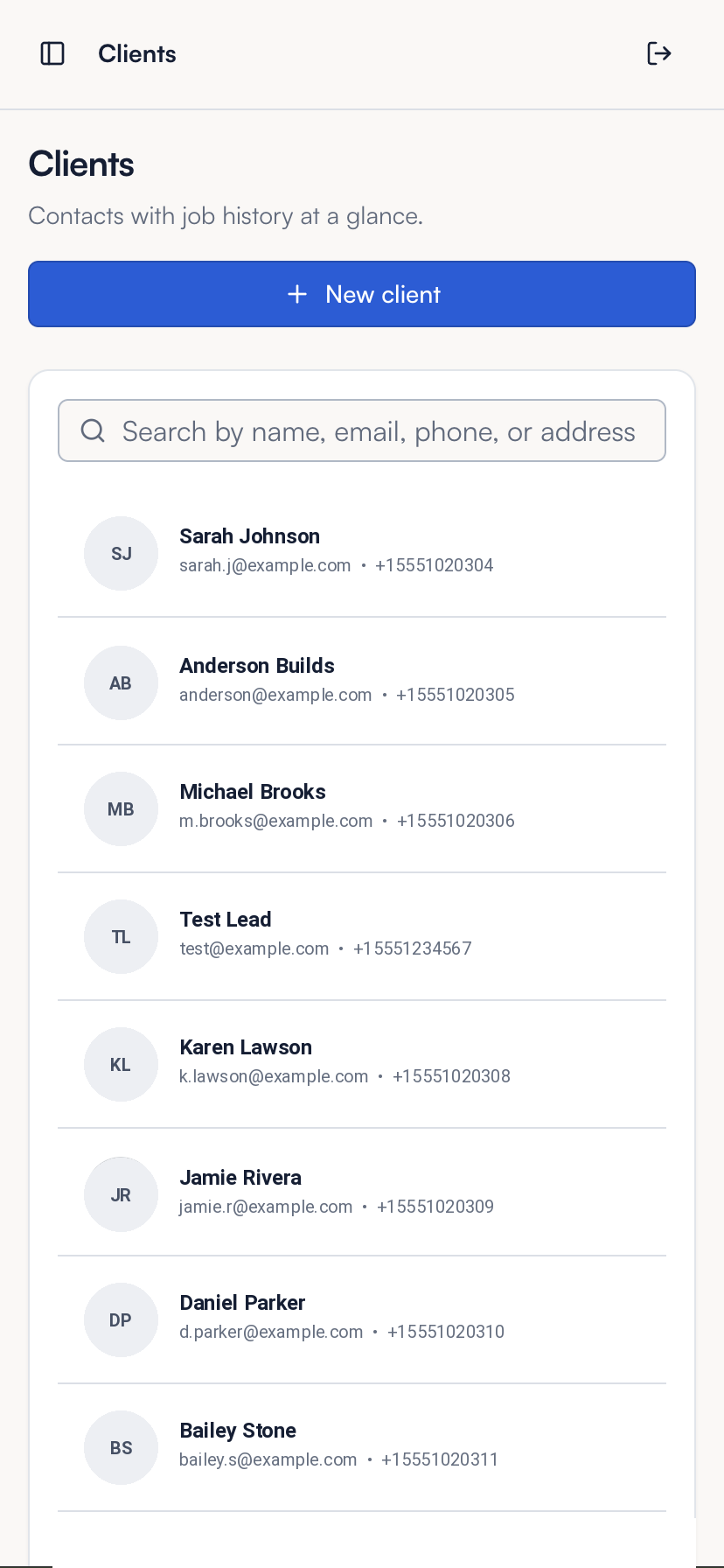
One place to see every job, invoice, and note for a customer.
Search by name, email, phone, or address. Open a client and see every estimate you've sent, every job you've done, and every conversation. Repeat customers, referrals, follow-ups - all in reach.
- Full job history at a glance
- Every estimate and invoice attached
- Search across name, email, phone, address
- Notes and photos on every job
- Ready to text or email in one tap
Turn every finished job into a Google review.
When a job is marked complete, send a review request in one click, or have one go out automatically on every completed job, while the homeowner is happiest with the work. Direct link to your Google review form. This is the flywheel that fixes your map pack ranking.
- Send by hand or automatically on every completed job
- Direct link to your Google review form
- Sent by email and text for best conversion
- Job attachments and photos on file
- Builds your review count month over month