How it works
Every style starts with a simple cost per foot and per gate. If you want more accuracy, switch a style to Price from materials. You list what goes into one section of fence and one of each gate, and FastQuote does the counting on every estimate.
- Your markup and commission work the same as before.
- Materials are shared. Change the price of a post once and every style that uses it updates on new estimates.
- Customers never see your materials or costs.
Add your materials
- Open Price book and click the Materials tab.
- Click Add material.
- Enter a Name and pick a Unit, like each, bag or ft.
- Under Sold, pick One at a time or By the pack or box. For a pack, enter the pack name and how many come in one.
- Enter Your cost, including sales tax, and click Save.
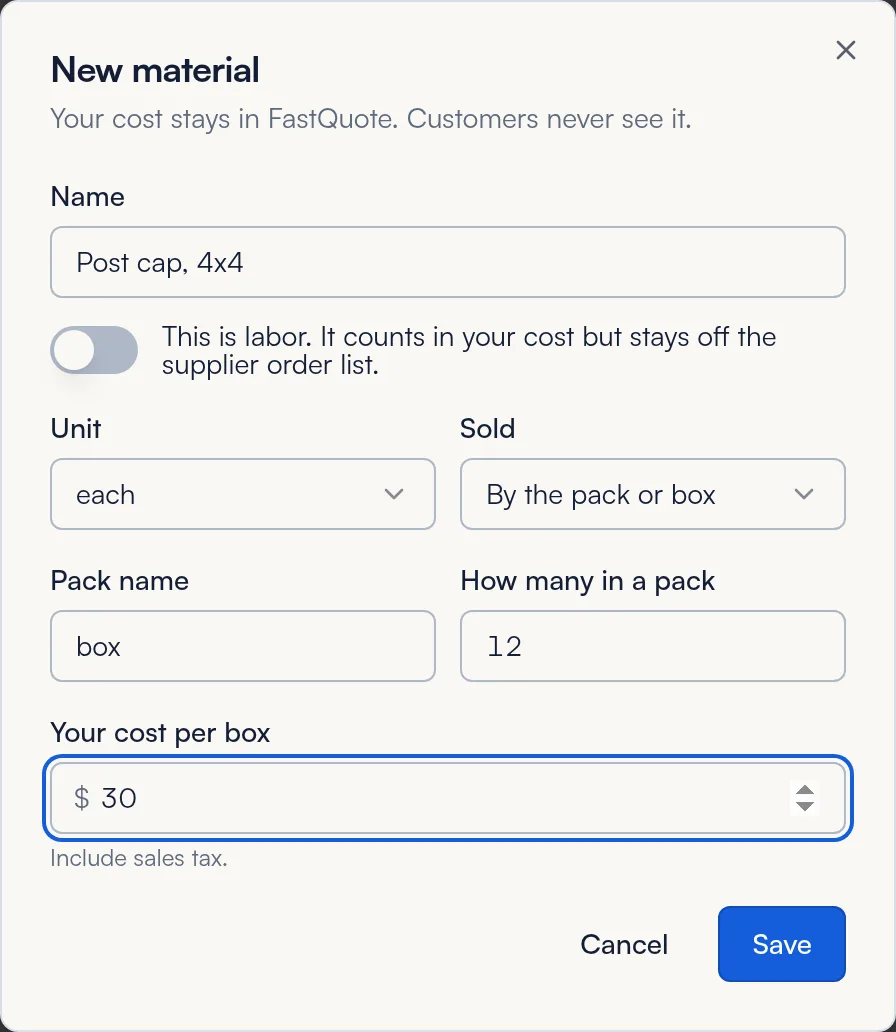
For crew time, check This is labor. Labor counts in your cost but stays off the supplier order list.
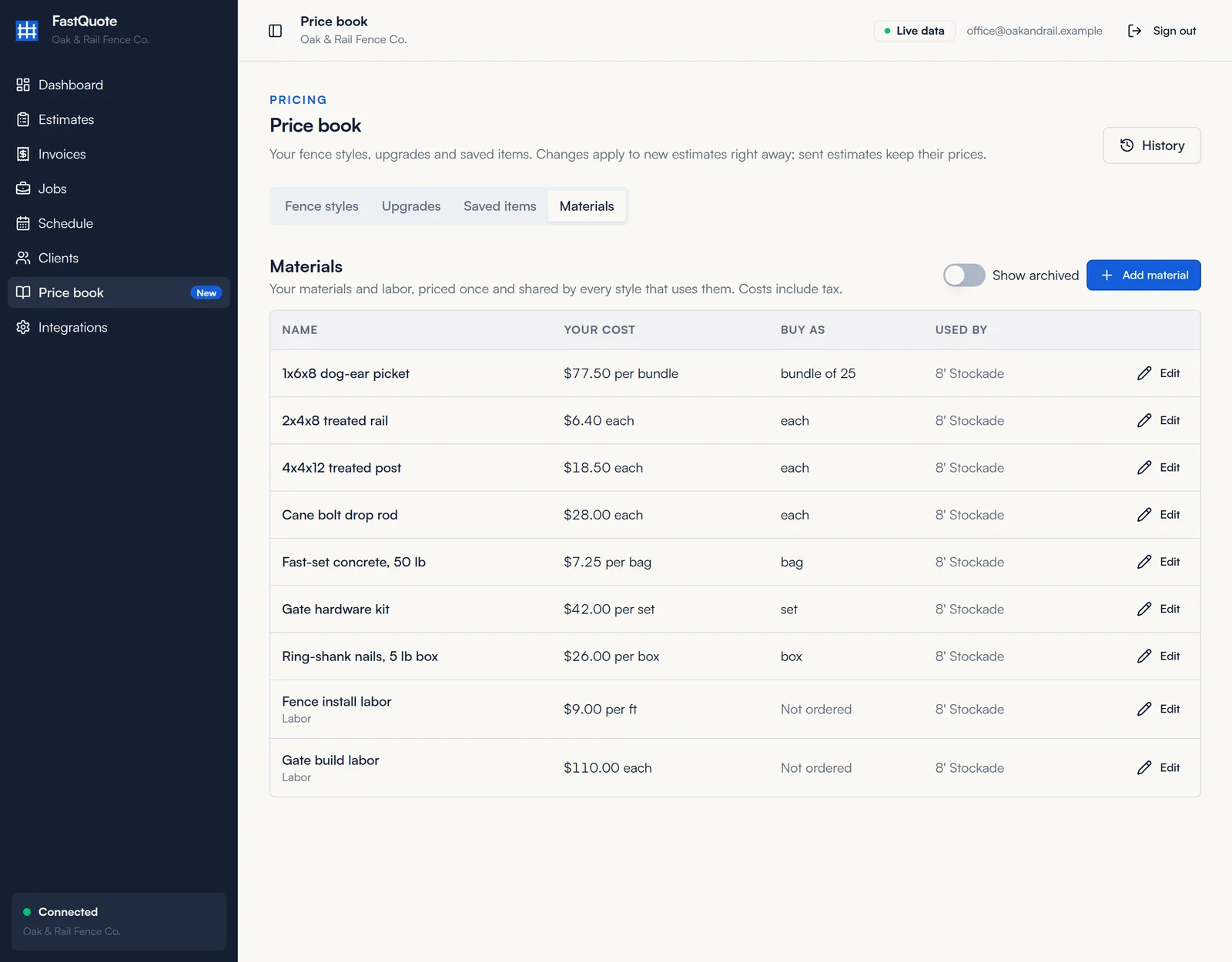
Used by shows which styles use each material. Turn on Show archived to see materials you have archived.
Price a style from materials
- On the Fence styles tab, click Edit on the style.
- Under What you pay, turn on Price from materials.
- Enter the Section length in feet, like 8.
- Under Fence, click Add material for each item. Enter the quantity and pick per section, per foot or per job.
- Fill in the Single gate and Double gate lists the same way. Quantities are per gate.
- Check the Sample price at the bottom, then click Save changes.
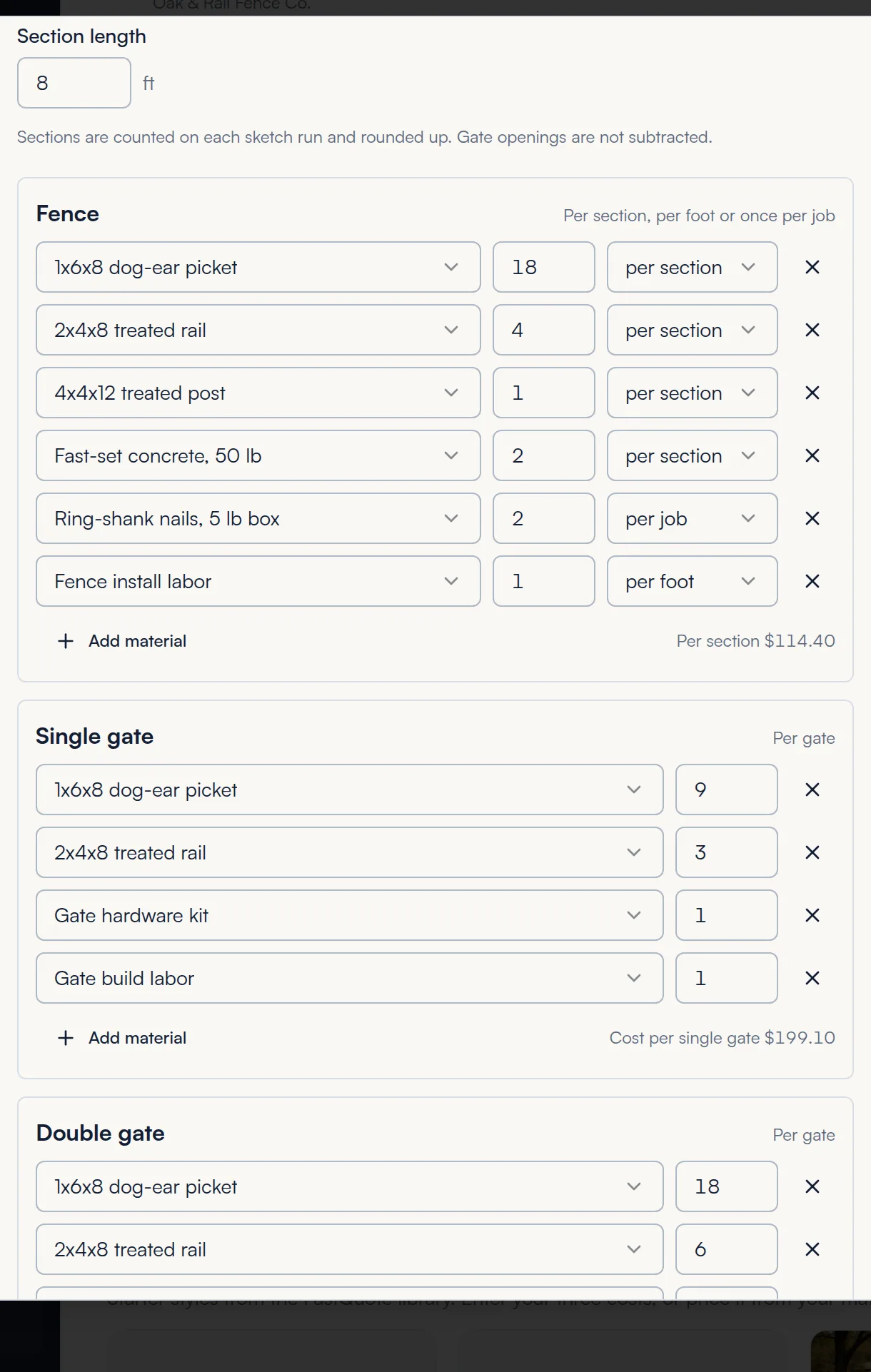
How sections are counted: FastQuote counts sections on each run of the sketch and rounds up. Gate openings are not subtracted. Your typed cost per foot is kept in case you switch materials pricing off later.
You can add a new material right from a style's list. Pick New material in the material picker.
On estimates
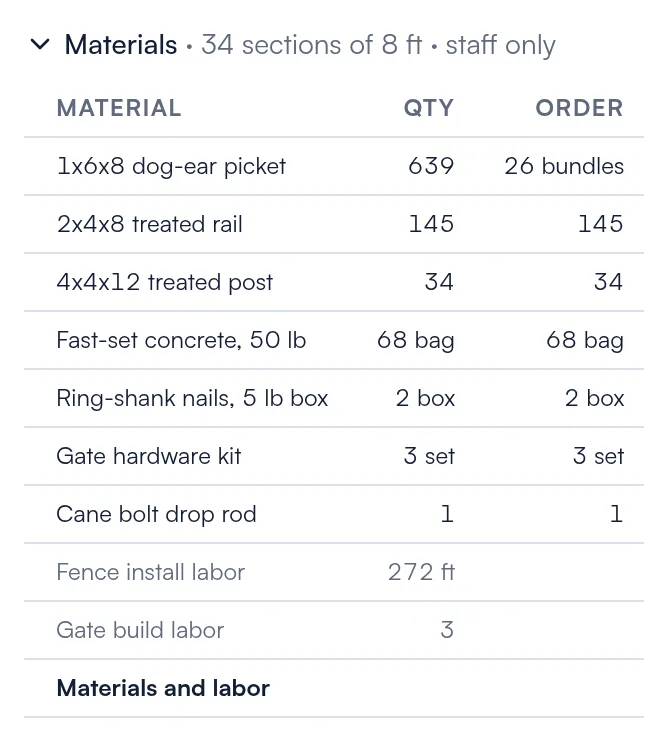
When you quote a materials-priced style, the Quote summary shows a Materials line. Open it to see every material with the quantity, what to order and the cost. Only your team sees this.
On signed jobs
When the customer signs, the material list is locked to that job. Open the job to see the Materials card and print the supplier order list. See Jobs.
Common questions
If a material cost changes, what happens to signed jobs?
Nothing. Signed jobs keep the materials and costs from the day they were signed. New estimates use the new cost.
How does FastQuote round packs?
It always rounds up to whole packs. For example, 639 pickets in bundles of 25 becomes 26 bundles.
Can upgrades use materials too?
Yes. On a materials-priced style, an upgrade can have its own material list.
Can I go back to cost per foot?
Yes. Turn off Price from materials. The cost per foot and per gate you typed before are kept and used again.
Still stuck? We are happy to walk you through it.