How the 4% works
Every proposal and invoice shows two prices.
- Listed price
- Your price plus 4%, rounded up to the whole dollar. This is what the customer pays by card or bank transfer online. The extra covers the payment processing cost.
- Check or cash price
- Your price. Customers who pay by check or cash see how much they save, like Pay by check or cash: $8,138 (save $326).
On estimates, the saved pricing box shows Your price, Online price and Estimated net, which is about what you keep from the online price after card processing.
The deposit
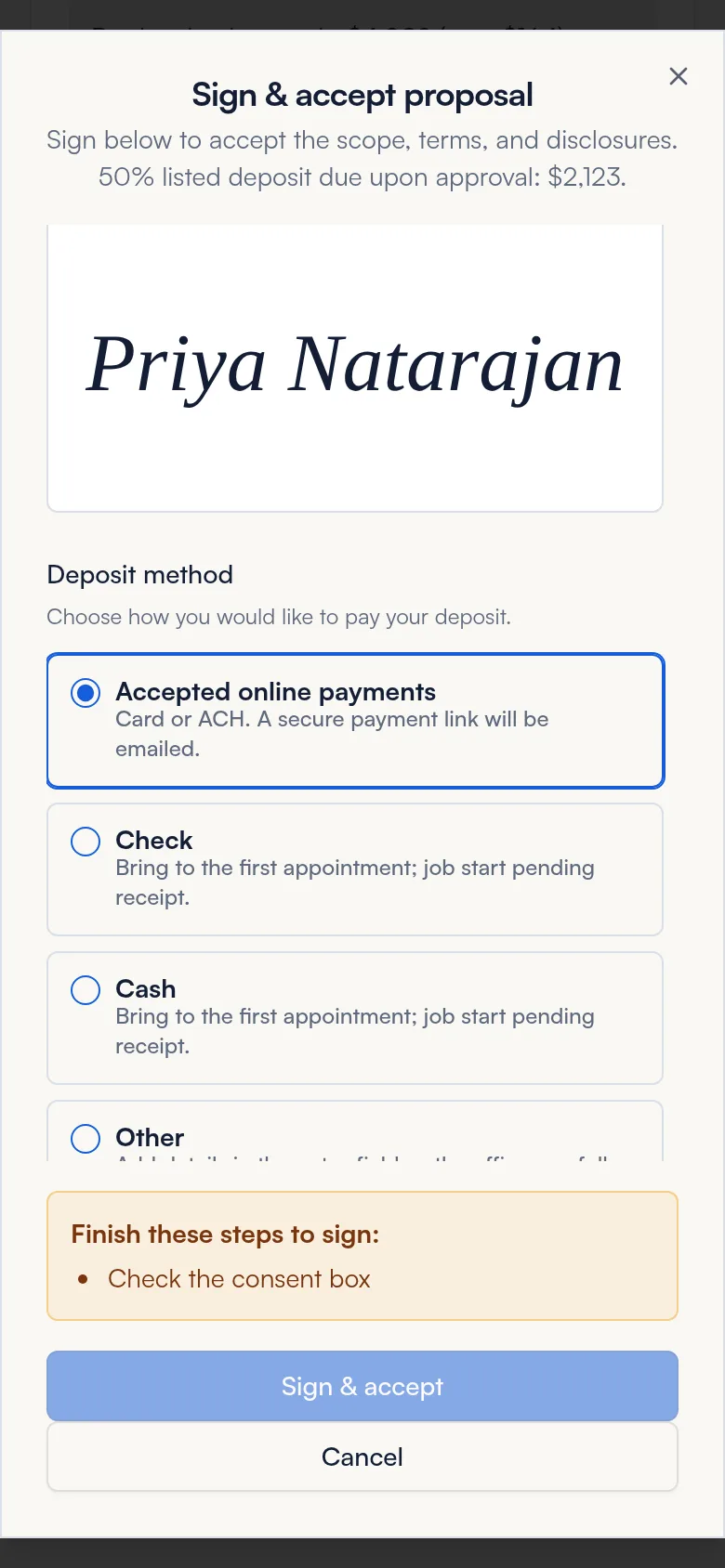
The deposit is the first payment due at signing in the payment schedule. When the customer signs, they pick how they will pay it:
- Accepted online payments: card or bank transfer. A secure payment link is emailed.
- Check or cash: they bring it to the first appointment. The job start waits until you have it.
- Other: they add details in the notes.
Picking a method does not charge anything. The invoice stays at the listed amount until it is paid.
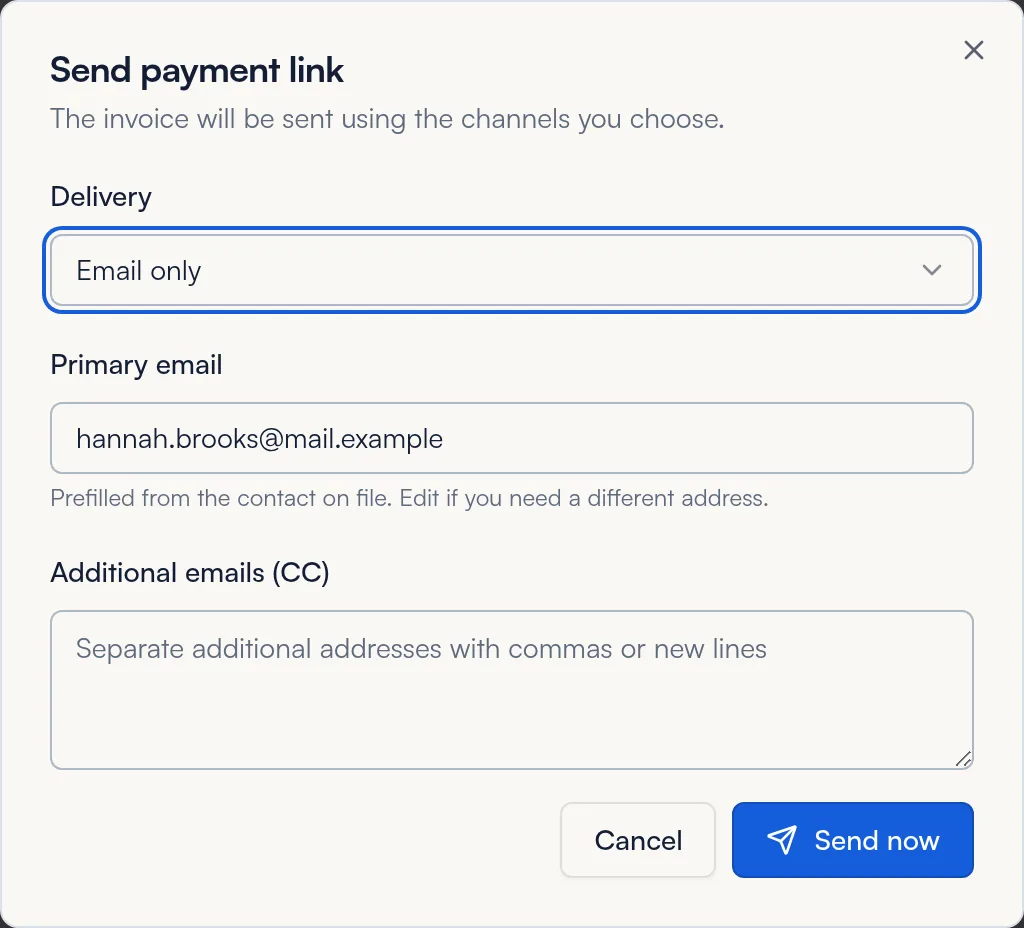
Send a payment link
- Open the invoice from Invoices.
- Click Send payment link.
- Pick Email only, SMS only or Email and SMS. Check the email and add any CC addresses.
- Click Send now.
Copy payment link lets you text it yourself. The customer opens a secure checkout and pays the balance or the next payment due.
Record a check or cash
Recording a payment does not charge the customer. It logs money you already have.
- Open the invoice and click Record manual payment.
- Pick the payment under Installment received. Record one at a time.
- Pick the Method: Cash, Check, Credit or debit card, ACH bank transfer or Other.
- For check or cash, FastQuote shows the Expected receipt, the check or cash discount, and the listed amount it settles. Enter the expected receipt as the Amount received.
- Add the check number or a note, then click Record payment.
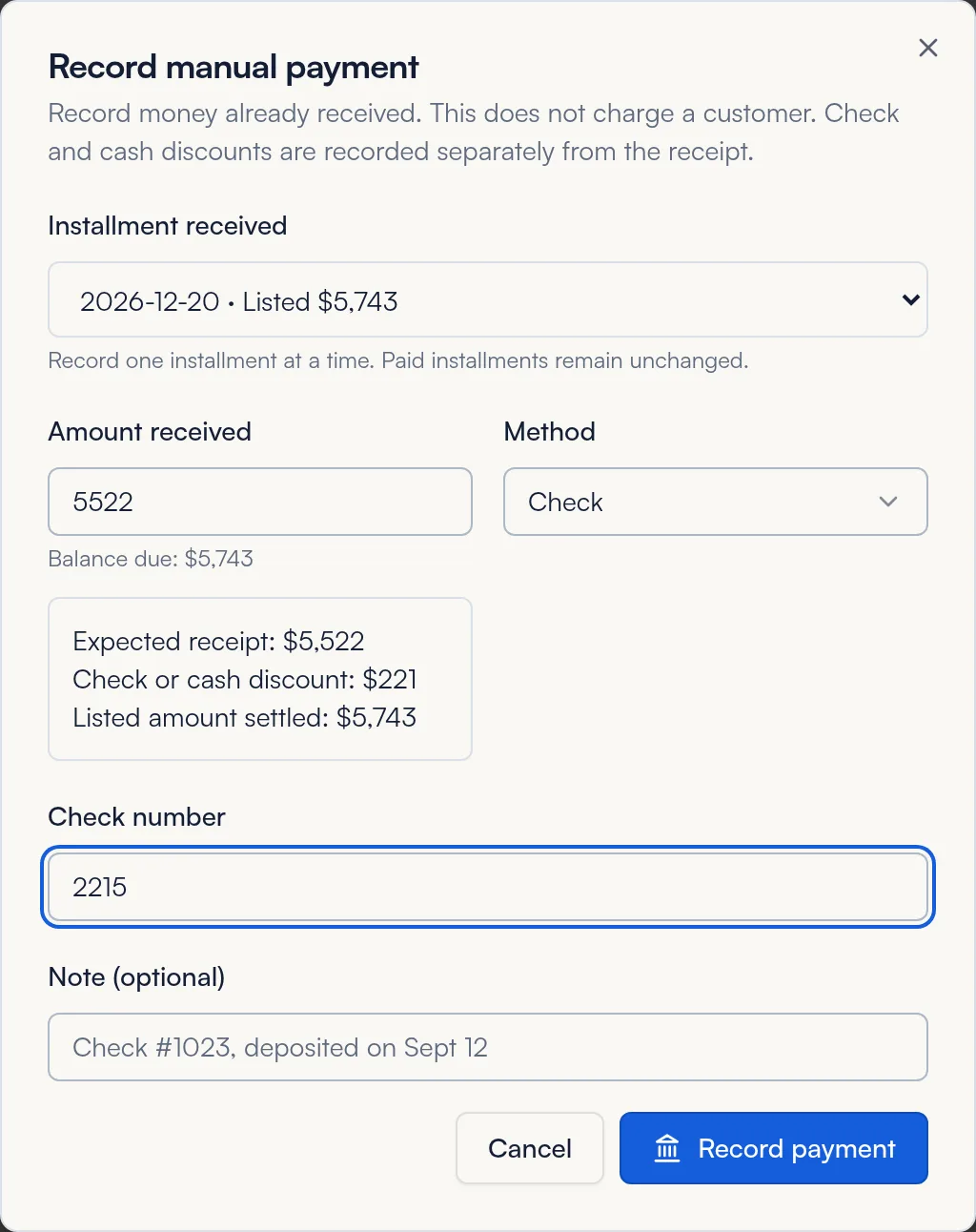
Why the amounts differ: the check or cash discount is recorded separately, so the invoice balance goes down by the full listed amount.
The pricing setting
Automatic online pricing is on by default under Integrations. Changes only apply to new documents. Saved and sent ones keep their prices.
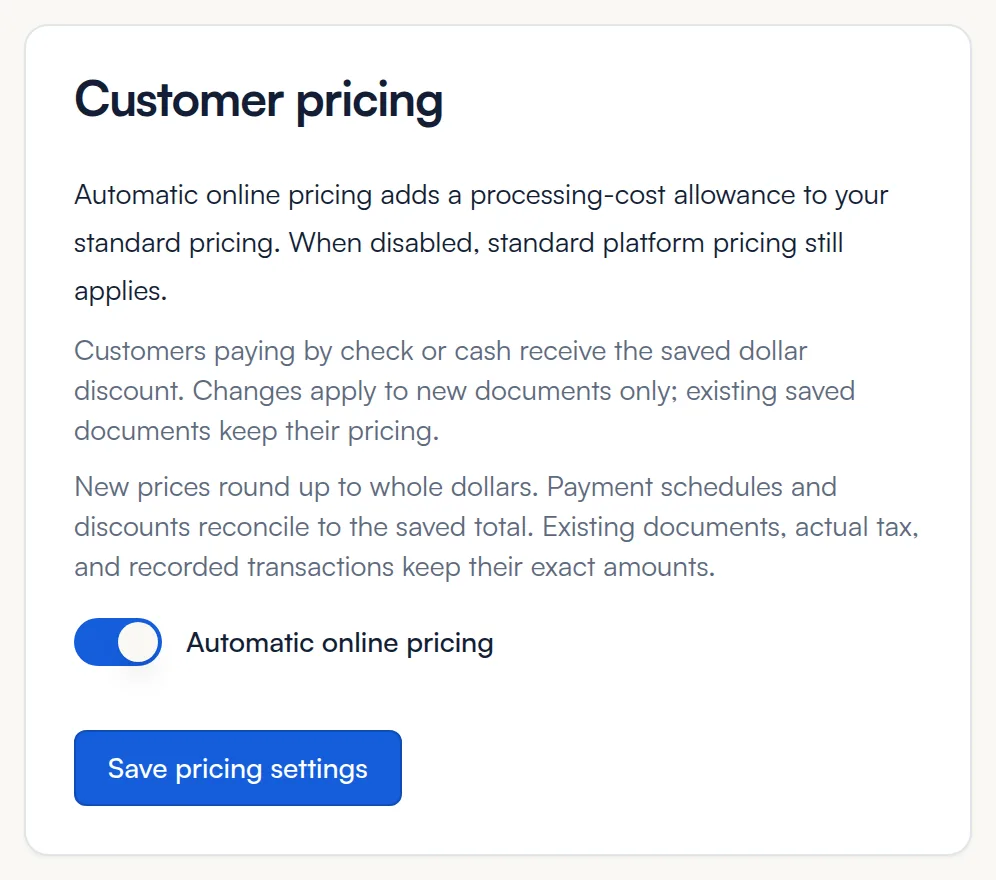
If you turn it off, the listed price includes a smaller 1% platform allowance instead of 4%.
Common questions
Is passing the fee on allowed in my state?
FastQuote shows it as a listed price with a check or cash discount. Rules vary, so check with your accountant or attorney if you are unsure.
Can a customer pay part of an invoice?
Payments follow the payment schedule. Each installment is paid or recorded on its own.
How do I refund a payment?
Contact us and we will help with refunds.
How do I start taking online payments?
Fence Branders sets up online payments for your company. Contact us if your customers cannot open the payment link.
Still stuck? We are happy to walk you through it.