What syncs
FastQuote works with your CRM, so your team does not enter anything twice.
- Clients: contacts in your CRM show in FastQuote, and new clients from FastQuote go to your CRM.
- Estimates and invoices: saved and sent through your CRM, with payment status kept up to date.
- Jobs: each job is tracked in your CRM's pipeline and moves as its status changes.
- Schedule: bookings go on your CRM calendar.
- Messages: proposals, invoices, payment links and review requests go out by email and text from your CRM.
Your connection
Click Integrations in the menu. The connection card shows your business name and whether FastQuote is connected. The green Connected dot in the menu tells you the same at a glance.
Fence Branders sets up and manages the connection. If it shows as disconnected, refresh the page, then contact us.
Business name and logo
Your business name and logo on proposals come from your company profile in your CRM. To change them, update the profile or ask us to. Then click the refresh button on the connection card.
Customer pricing
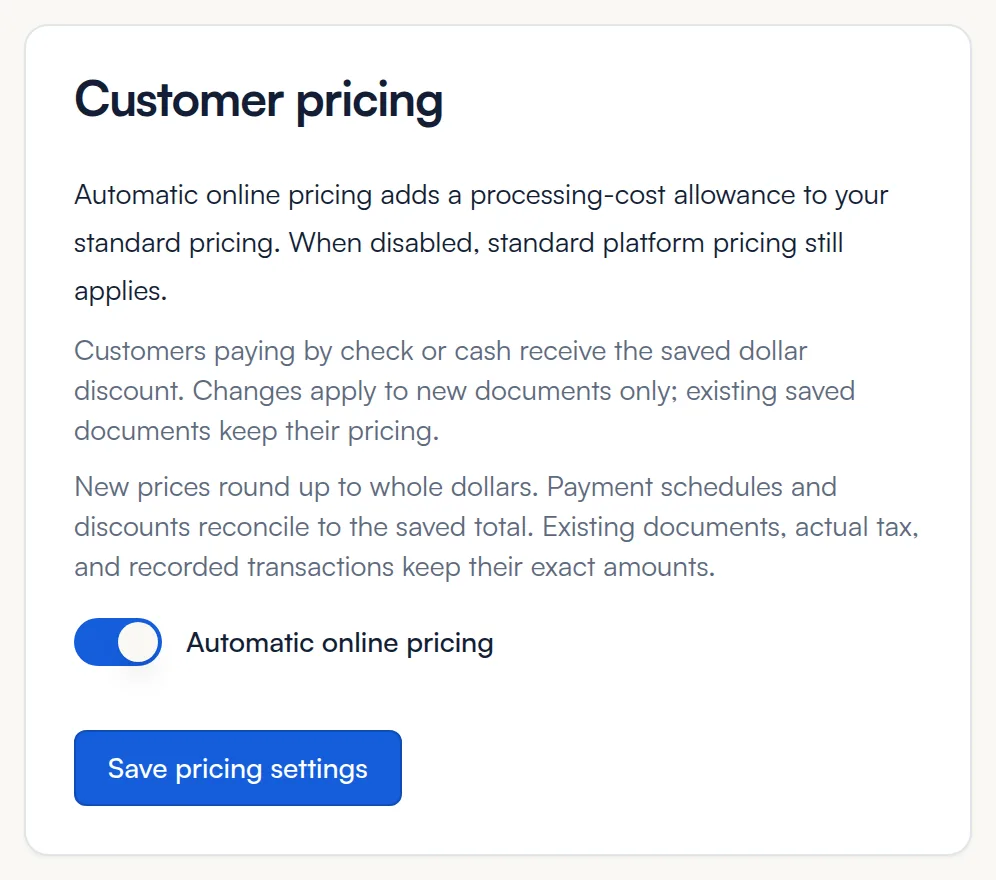
Automatic online pricing adds 4% to customer prices to cover online payment costs. Customers who pay by check or cash get that amount off. Click Save pricing settings after a change. See Deposits and payments.
Common questions
Do I need a particular CRM?
FastQuote is set up and connected for you by Fence Branders. Ask us what works with your setup.
I changed something in my CRM and don't see it in FastQuote.
Refresh the page. Most changes show right away.
My logo is missing on proposals.
Add a logo to your company profile in your CRM, or send it to us. Then refresh FastQuote.
Still stuck? We are happy to walk you through it.