The job board
Click Jobs in the menu. Jobs are in columns by status: Unscheduled, Scheduled, In progress, Completed (last 14 days) and Cancelled.
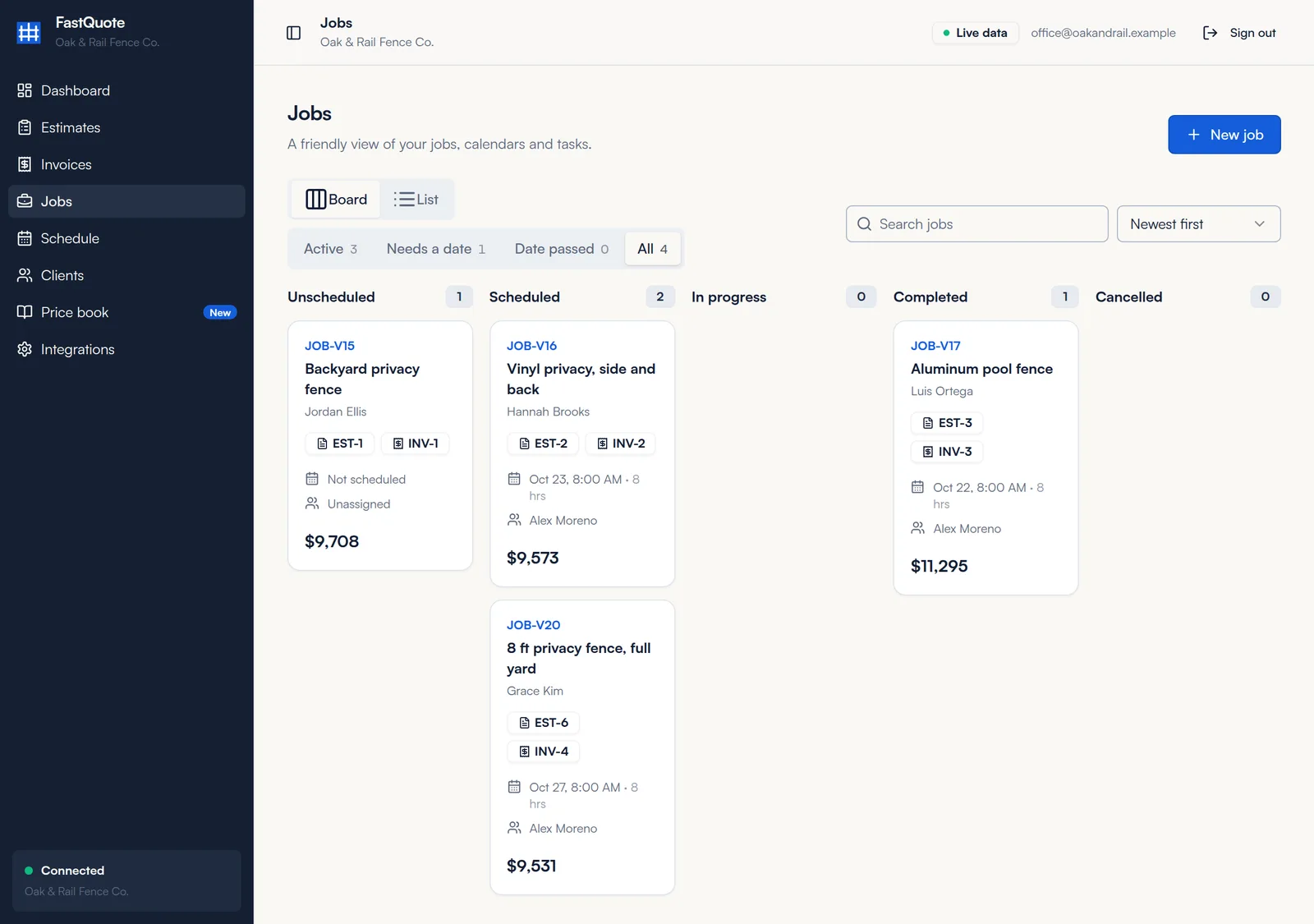
- Filters: Active, Needs a date, Date passed or All.
- Board or List: switch to List for a table view.
- Each card shows the customer, linked estimate and invoice, booking, crew and value.
Open a job
Click a card to see the customer, crew, booking, value and address, with the linked estimate, invoice and signed contract.
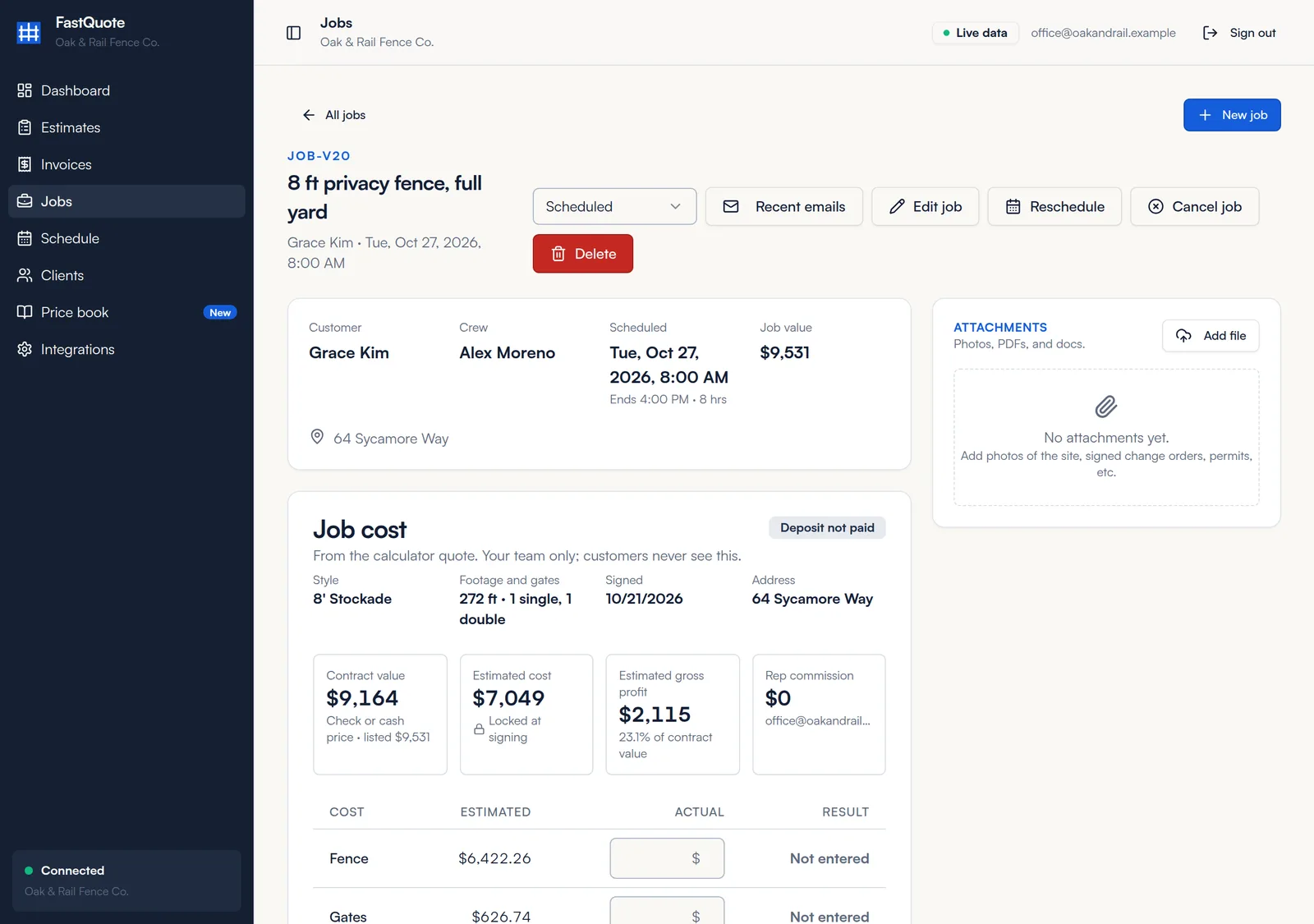
Use Edit job to change the title, crew or status, Schedule or Reschedule to book it (see Schedule), and Cancel job if it falls through.
Update the status
- Open the job and pick a status from the status menu at the top: Unscheduled, Scheduled, In progress, Completed or Cancelled.
- Booking a slot moves the job to Scheduled for you.
- When you mark a job Completed, FastQuote creates the final invoice as a draft if one is needed, so you can check it and send it. The review request card appears too.
Materials card and order list
Jobs for styles priced from materials have a Materials card. It lists every material with the quantity needed, what to order and the cost, locked at signing.
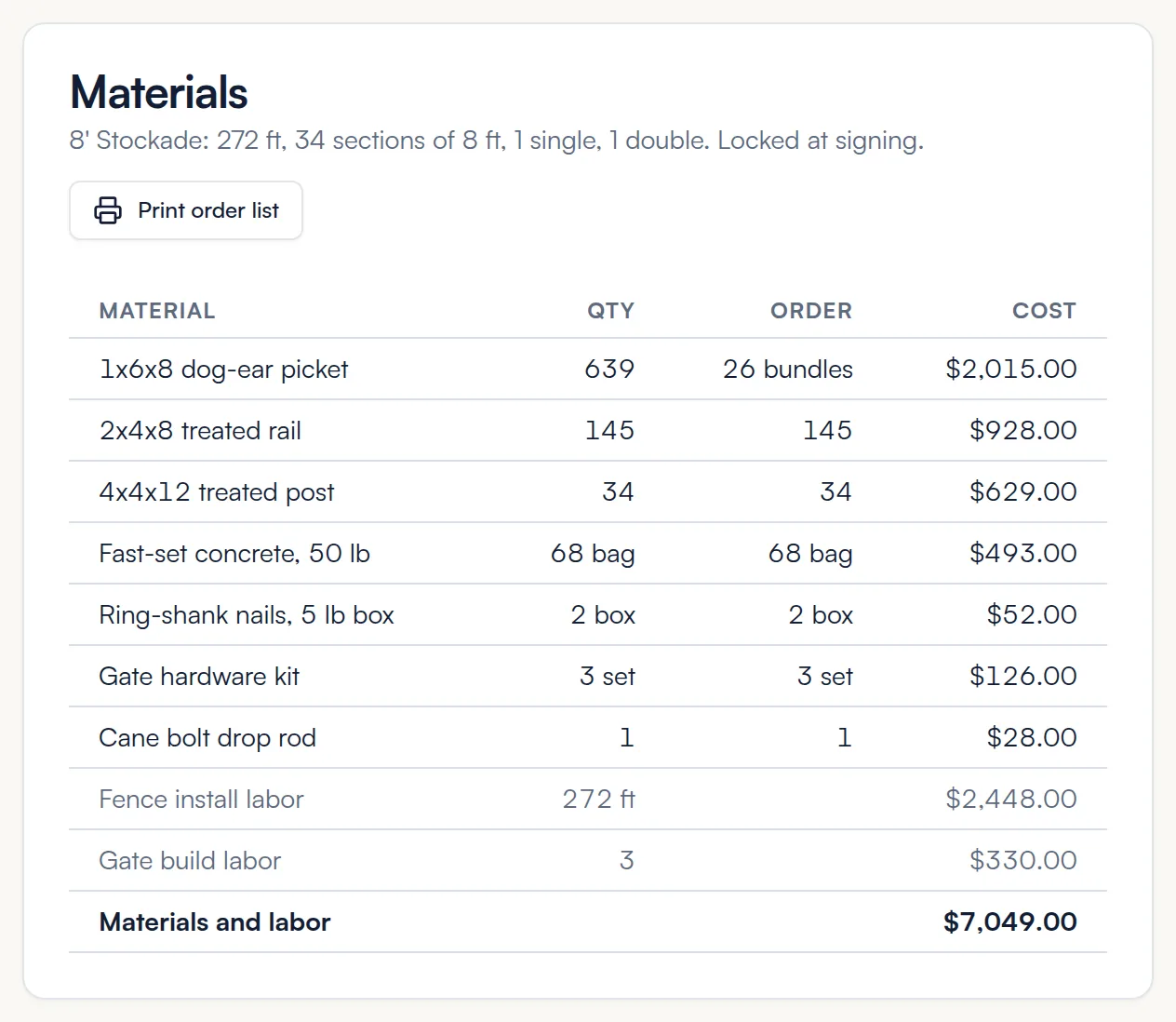
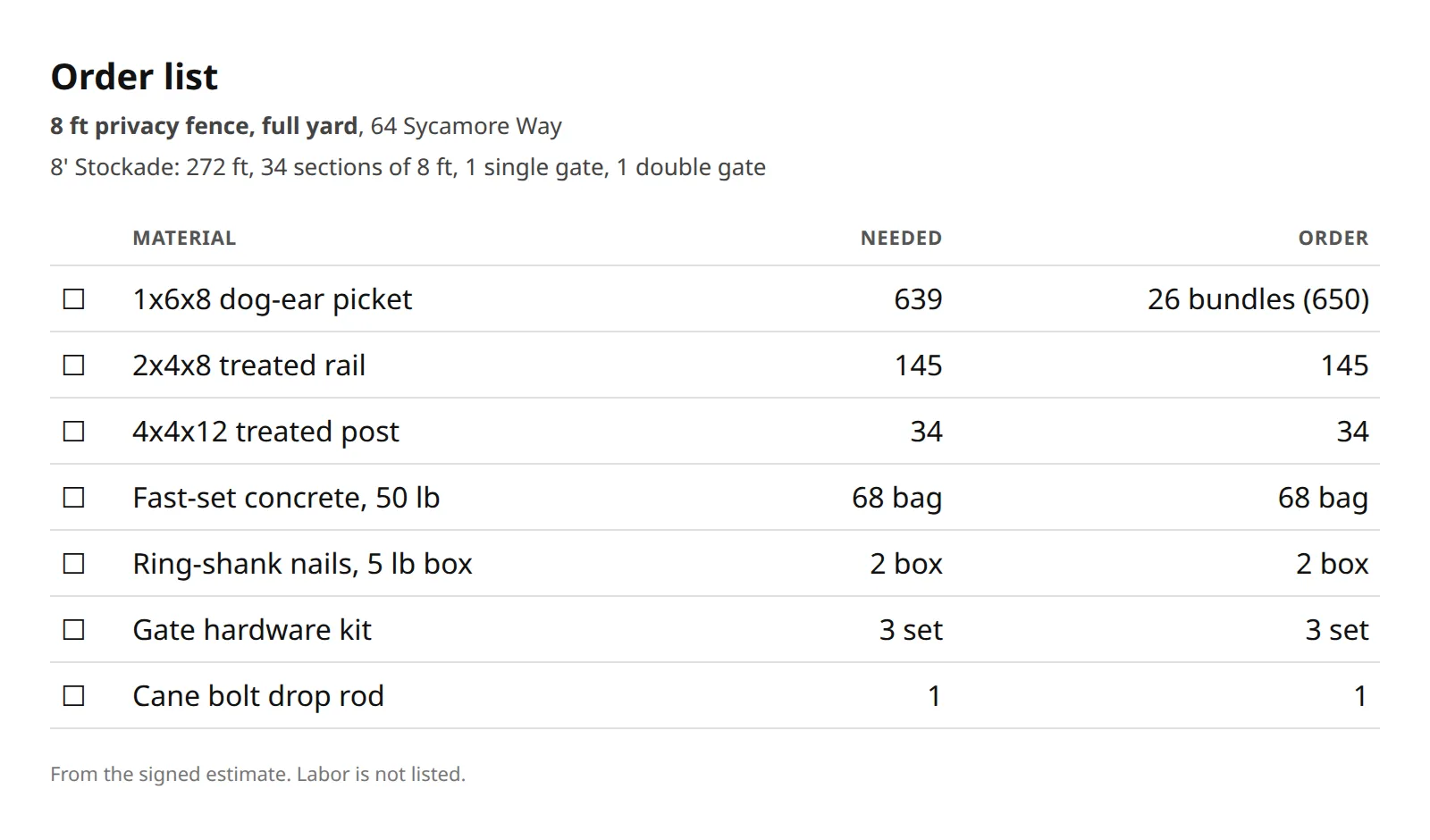
- Click Print order list.
- Print it or save it as a PDF and send it to your supplier. Labor is left off.
Job cost
The Job cost card shows the contract value, estimated cost, estimated gross profit and rep commission. Only your team sees it.
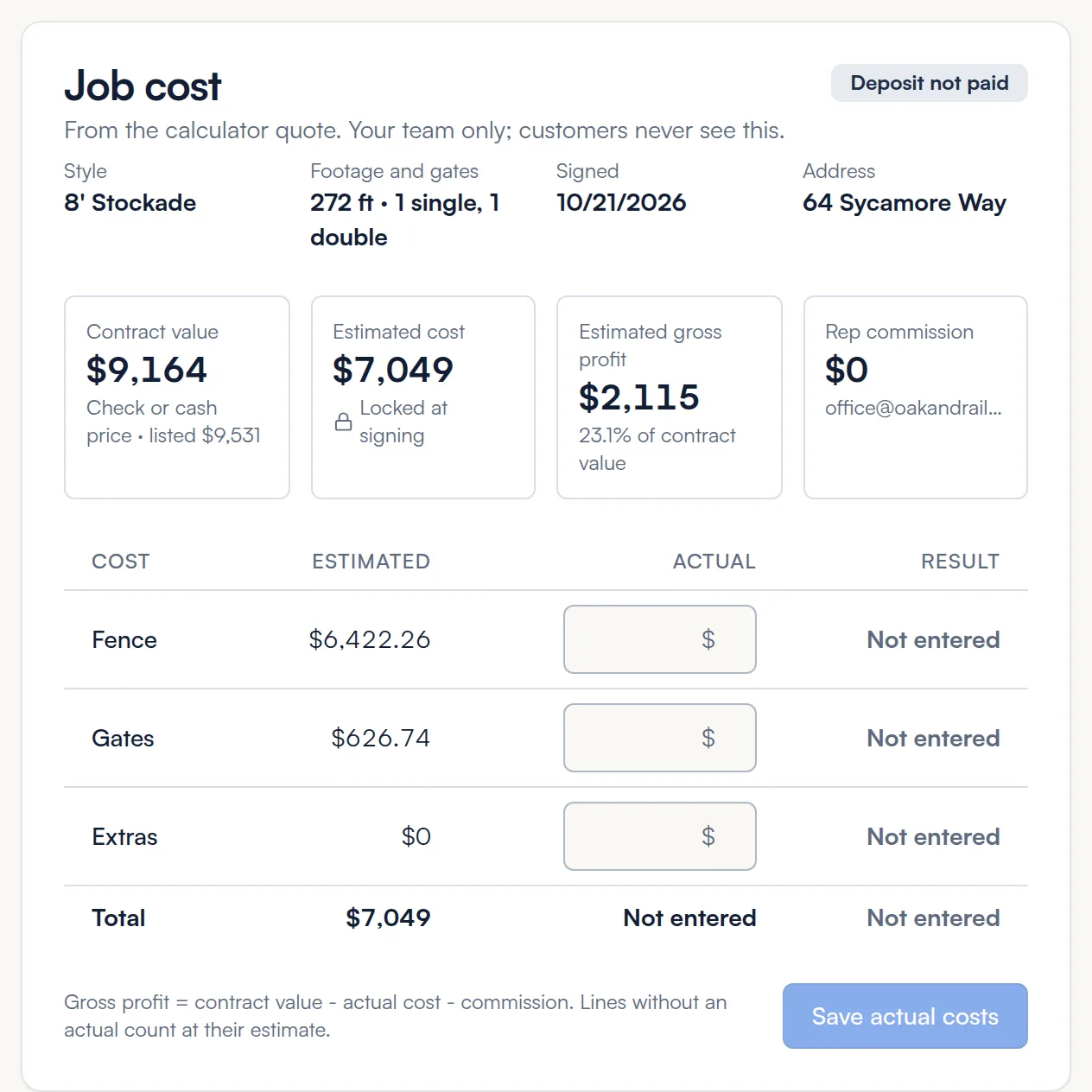
- After the job, type what you actually spent next to Fence, Gates and Extras.
- Click Save actual costs. The Result column shows how each line came out.
Gross profit is contract value minus actual cost minus commission. Lines without an actual count at their estimate.
Photos and files
Click Add file on the Attachments card to add photos of the site, signed change orders, permits and other files.
Add a job by hand
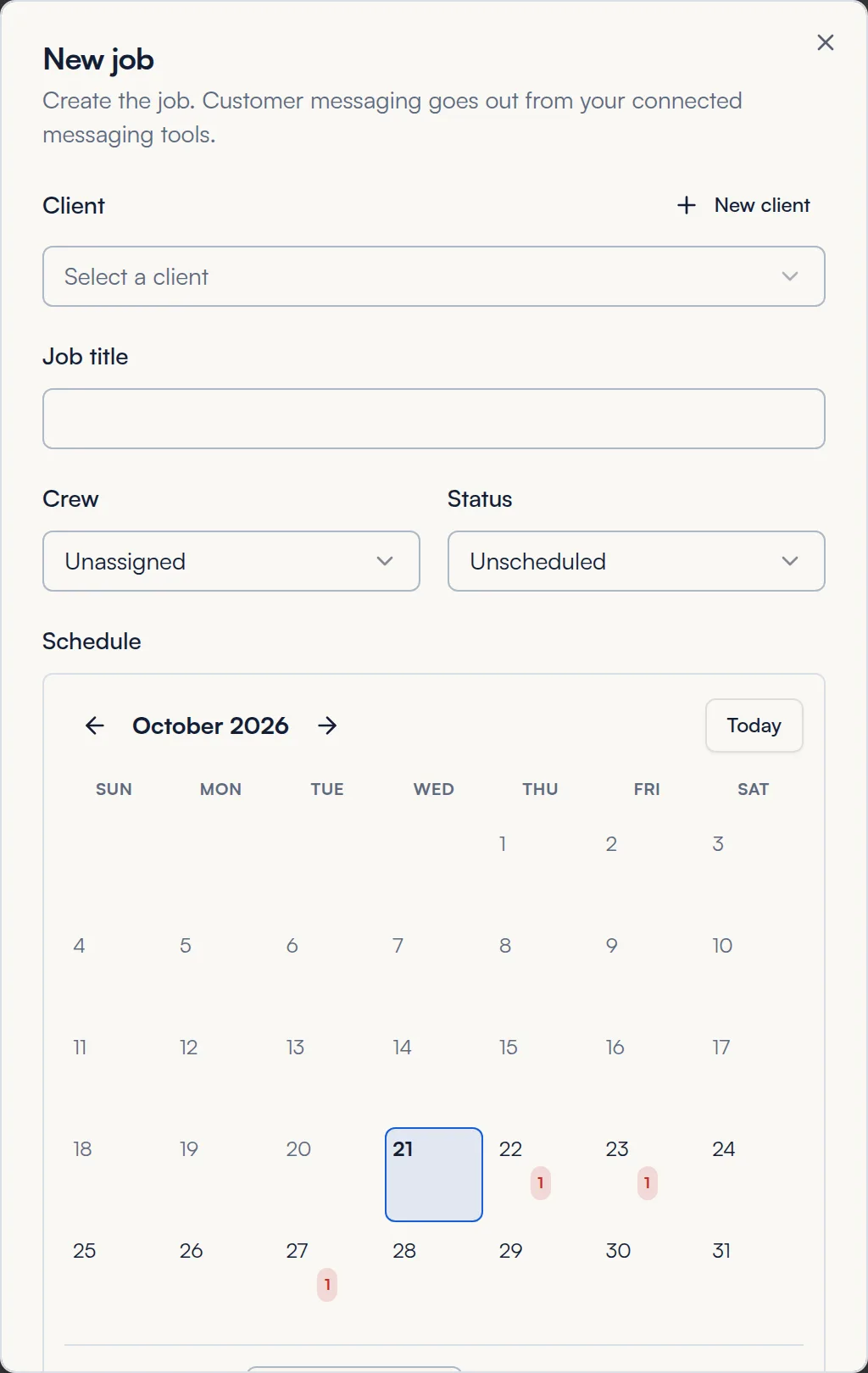
Most jobs come from signed proposals. For other work, click New job, pick the client, enter a title, crew and status, and pick a date if you have one.
Common questions
Why doesn't my job have a Materials card?
The style was not priced from materials when the customer signed. Turn on Price from materials for that style and future jobs will have it.
Where is the final invoice?
It is created as a draft when you mark the job Completed. Open it from the job or from Invoices, check it and send it.
Should I cancel or delete a job?
Cancel keeps the record for your history. Delete removes it. Cancel is usually the better choice.
Still stuck? We are happy to walk you through it.