Send a proposal
- After you save, the Proposal document ready page opens. Check the pricing at the top.
- Click Send to customer. FastQuote shows the email and phone it will use.
- Click Send now. The page shows when it was sent.
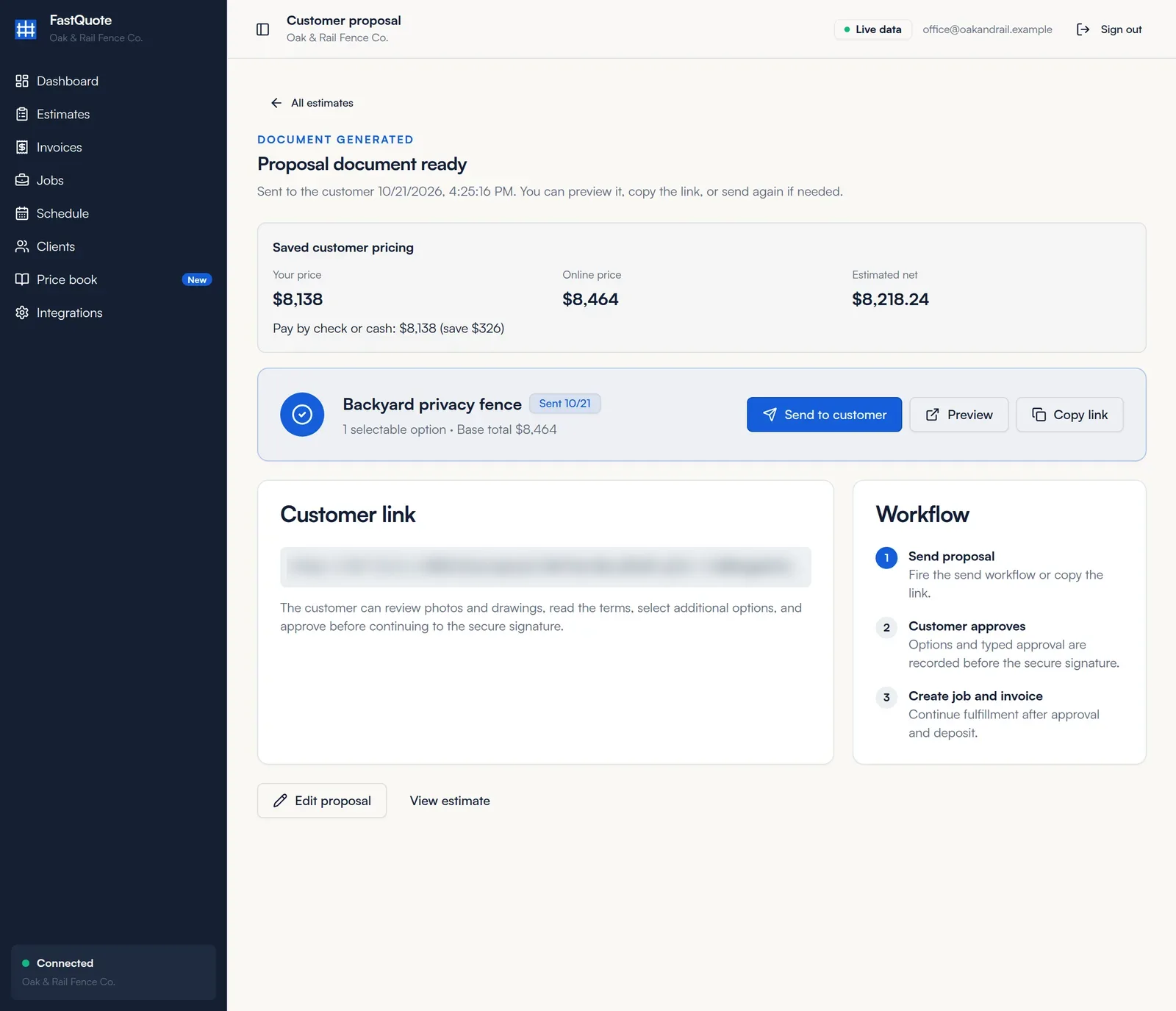
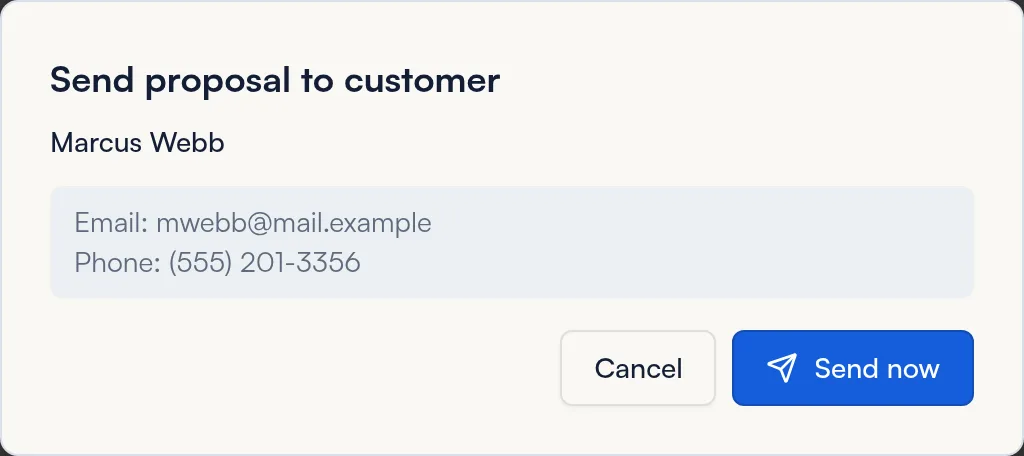
The client needs an email or phone on file. You can also click Copy link and text it yourself.
What your customer sees
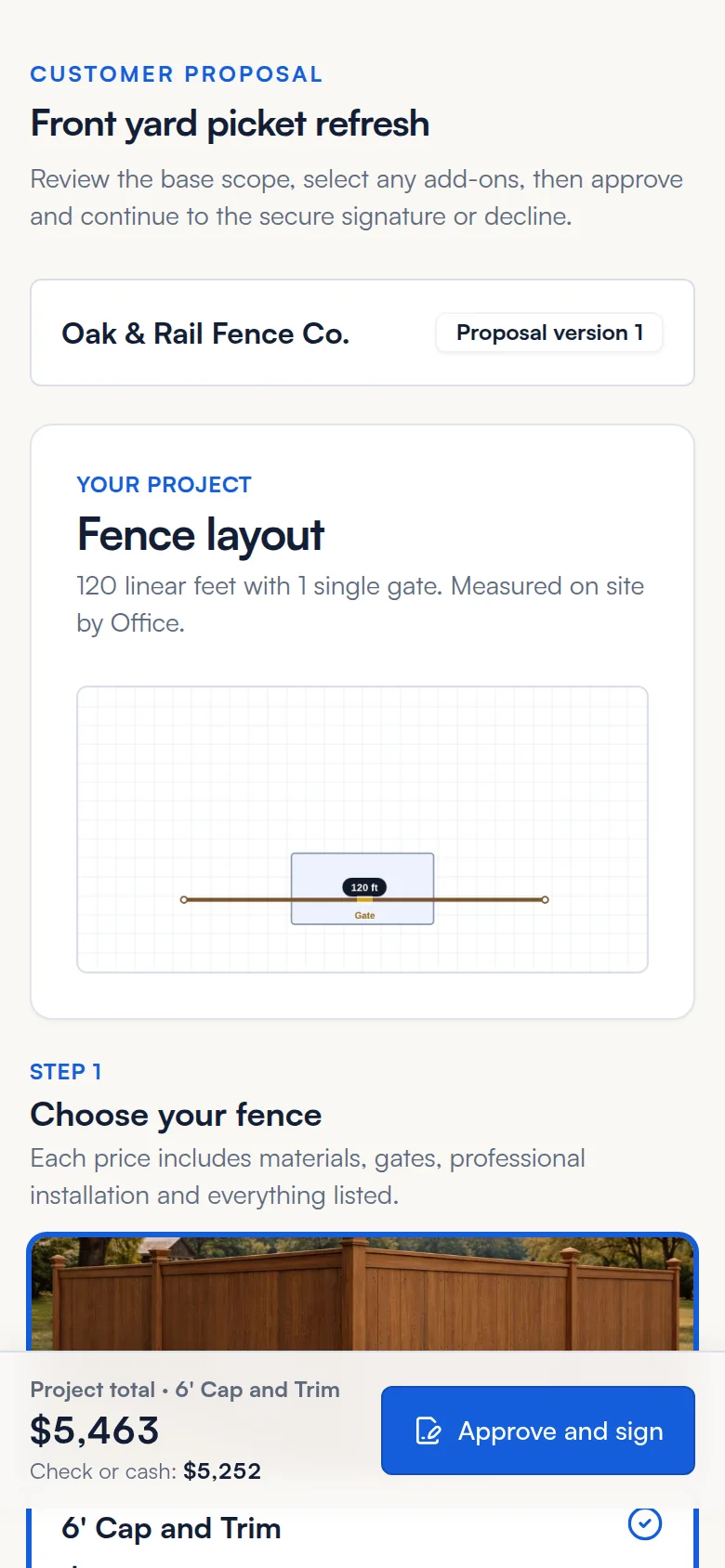
The customer opens a secure link. No login or app needed.
- Your company name, the fence layout sketch and photos.
- Step 1: the styles to choose from, with price and price per foot.
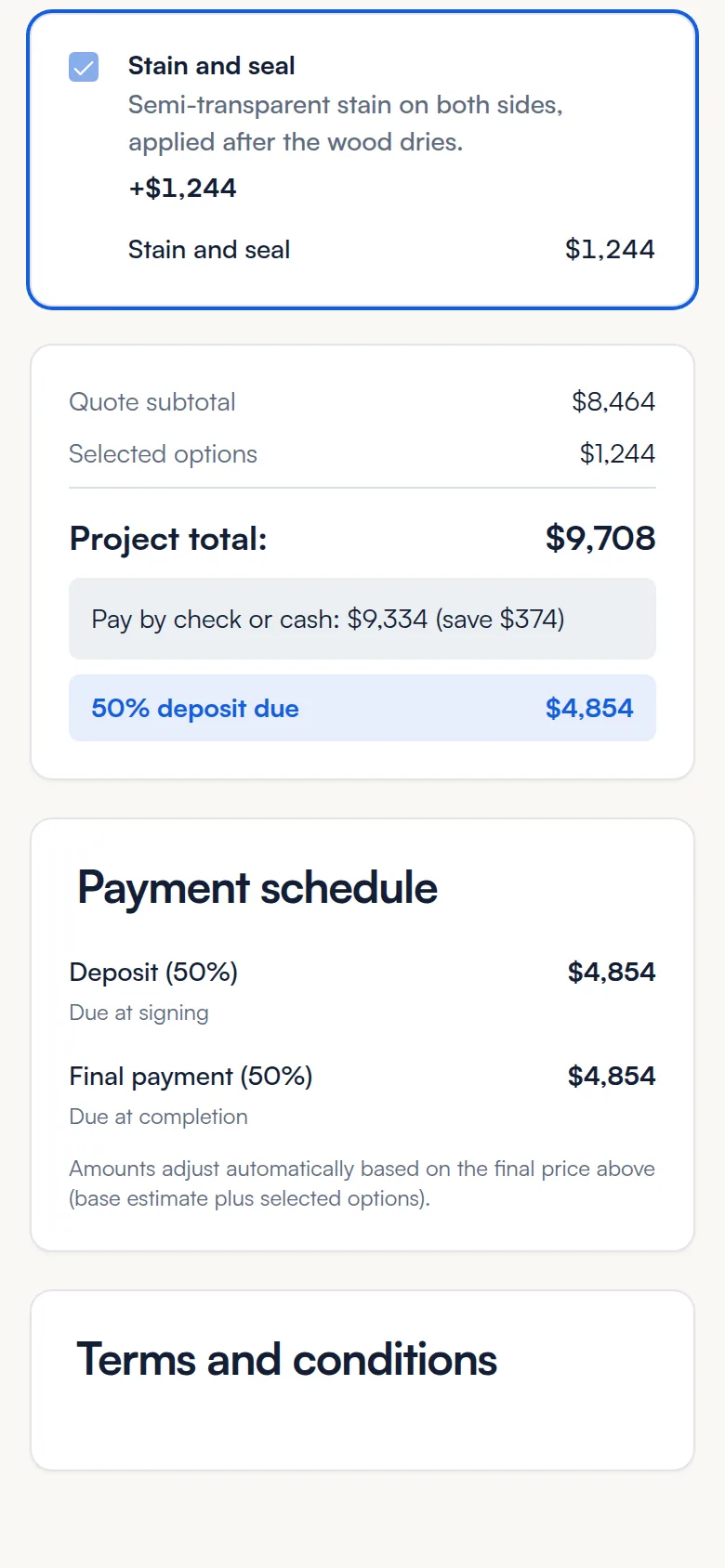
- Step 2: optional add-ons for the chosen style.
- The project total, the check or cash price, the deposit due and the payment schedule.
- Your terms, and a box for comments or questions.
Then they tap Approve and sign, or Decline.
How signing works
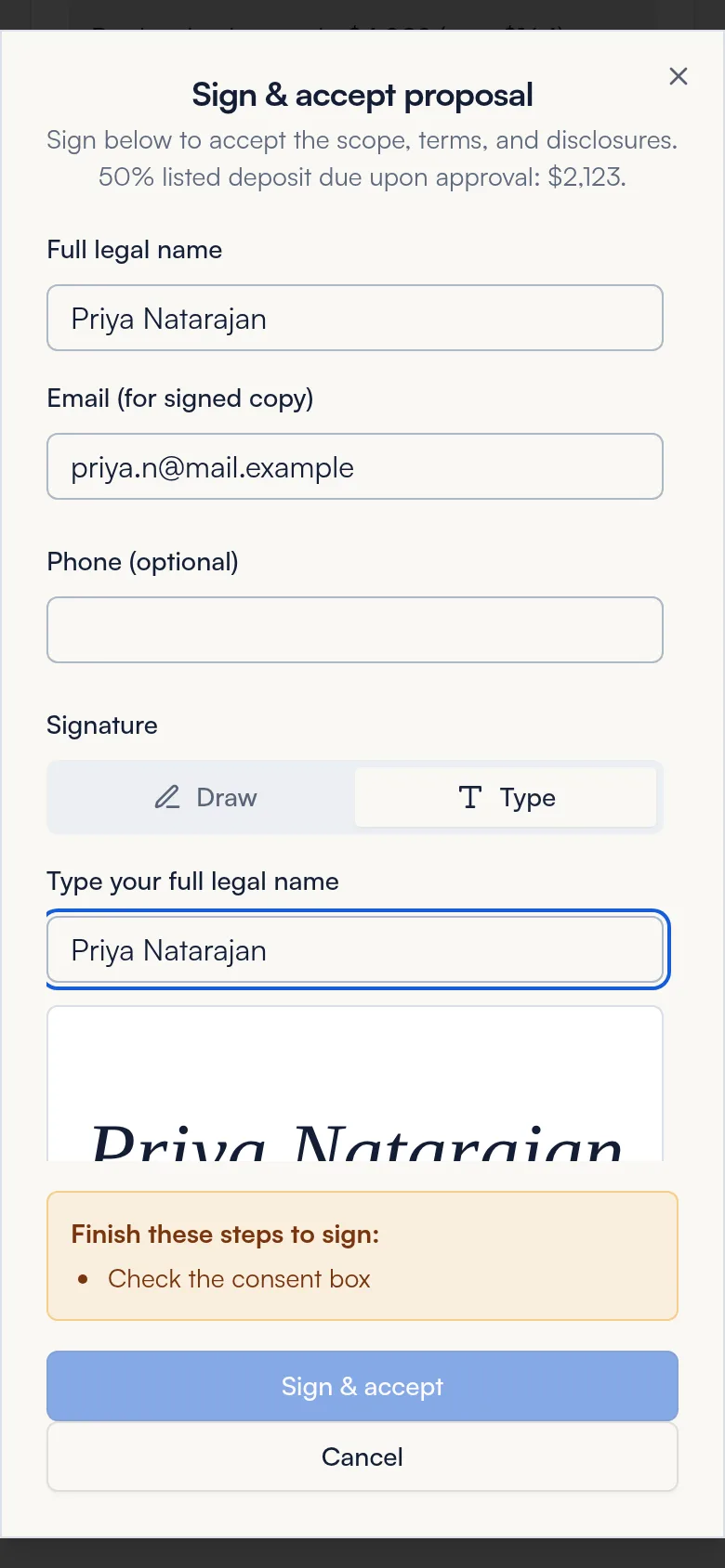
- The customer enters their full legal name and email for the signed copy.
- They draw or type their signature.
- They pick how they will pay the deposit: online, check, cash or other.
- They agree to sign electronically and tap Sign & accept.
The customer sees a confirmation and can Download signed proposal. The signed copy is saved to the job and invoice.
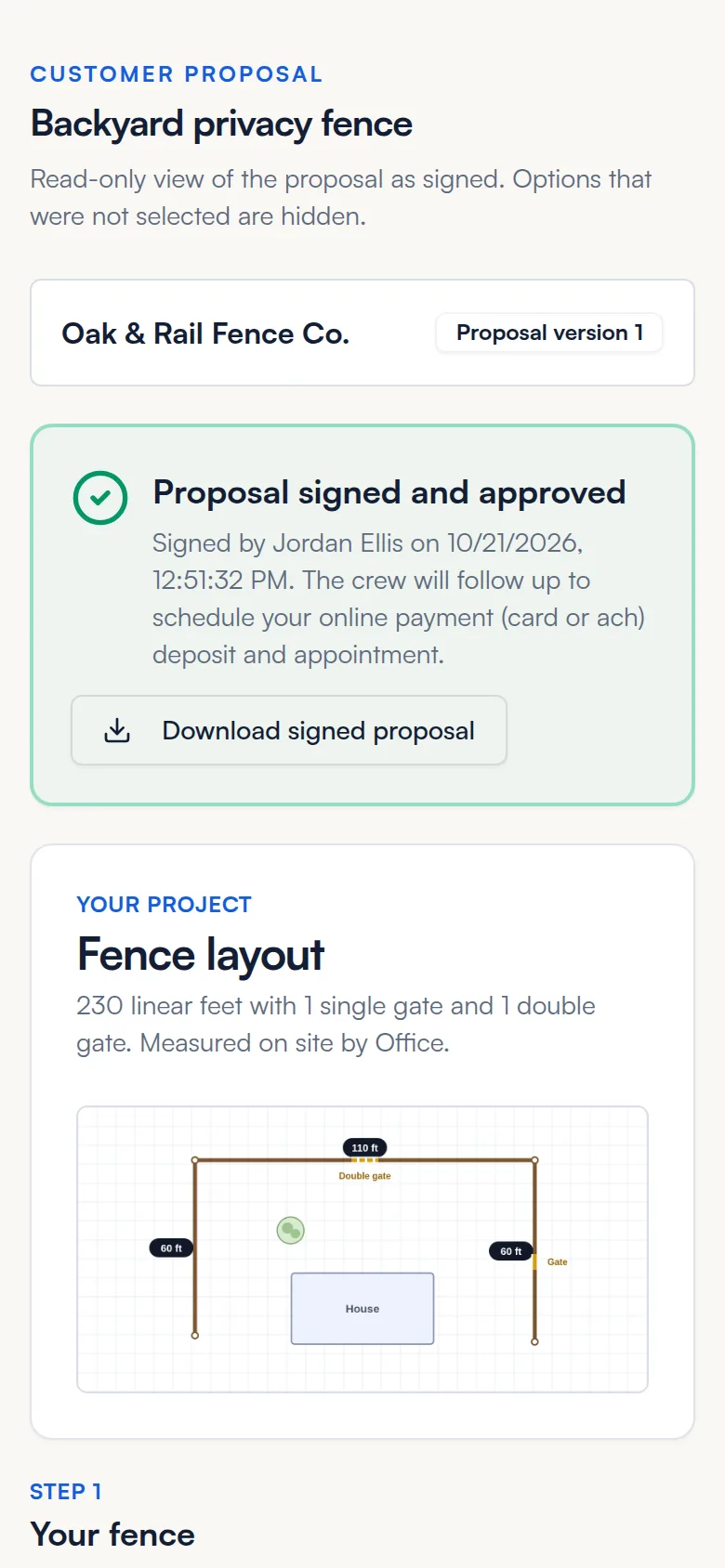
After the customer signs
- A job is created in Unscheduled on the job board.
- An invoice is created with your payment schedule and sent to the customer by email and text, with the deposit due now.
- If every payment is due at completion, the invoice waits until you finish the job.
Next: collect the deposit and book the job.
Copy, regenerate or delete
Open the estimate to see its line items and status.
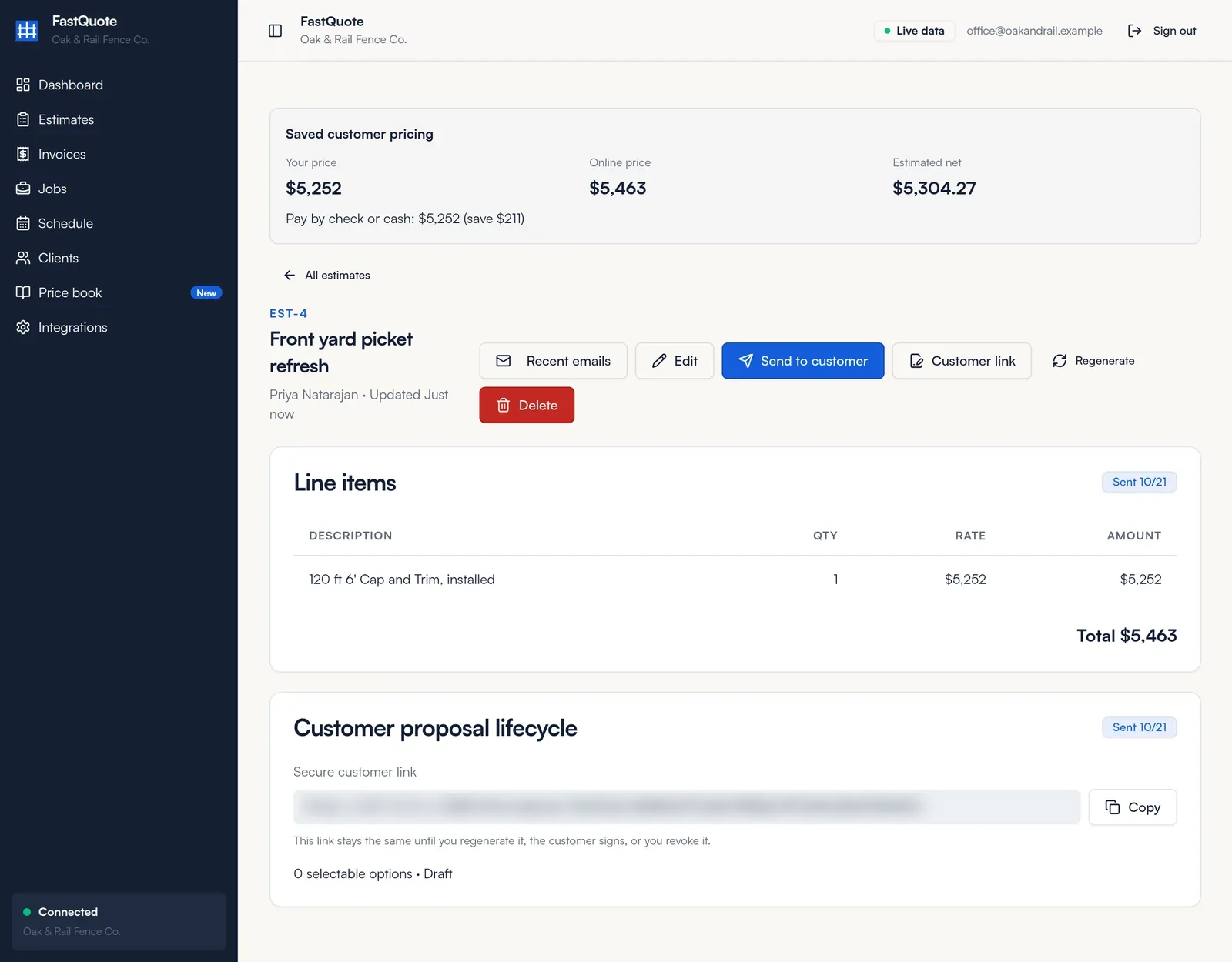
- Customer link: stays the same until you regenerate it, the customer signs, or you revoke it.
- Regenerate: makes a new link. The old link stops working right away.
- Recent emails: see what was sent to the customer.
Common questions
My customer did not get the proposal.
Check the email and phone on the client. Then click Send to customer again, or Copy link and text it.
Is the e-signature legally binding?
FastQuote records the customer's consent to sign electronically, their name, email and signature, and keeps a signed PDF. Talk to your attorney about your own contract terms.
What happens if the customer declines?
FastQuote records the decline, along with any comment they left. You can edit the estimate and send it again.
Can I change a proposal after it is signed?
The signed copy never changes. For extra work, create a new estimate or invoice.
Still stuck? We are happy to walk you through it.